-
Senior Member
registered user
The output of the 'cat' command gives you the number of the sound device that ALSA uses to identify the particular audio device. It is the number before the name inside the brackets. The default device should have the number 0 and the sound card number 1 should be the device you want to use. Thus I would create a configuration file /home/knoppix/.asoundrc with the two lines
Code:
defaults.ctl.card 1
defaults.pcm.card 1
If there is still no sound I would try the programm alsamixer to adjust the volume. Do not forget to the select the correct sound card before you change the sound volume or to restart the graphical desktop environment. In most cases the key combination Ctrl-Alt-Backspace should restart the desktop environment.
 Posting Permissions
- You may not post new threads
- You may not post replies
- You may not post attachments
- You may not edit your posts
-
Forum Rules


Gigabyte 4U AI Server 10x Nvidia GPU 2x Xeon Gold 6150 36 Core 2.7GHz DDR4 RAM
$1625.00

Dell EMC PowerEdge R440 Xeon silver 4215 2.5GHz 16 GB ram 2x 550W PSU No HDD
$275.00
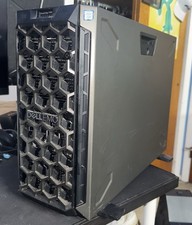
Dell PowerEdge T440 Xeon Silver 4114 32GB RAM 2x 240G 4x 600GB HDD Tower NO OS
$800.00

Microsoft Windows Server 2025 Standard 64Bit 16 Core-50 CALs DVD With Key Sealed
$41.19

Dell PowerEdge C4130 1U AI GPU Server | 2x E5-2680 v3 | 32gb Ram | 2x 1600W
$409.99

Dell EMC PowerEdge R740 8 Bay Server w/ 32GB RAM 2x GOLD 6132 2x 1600W PSU H730p
$499.88

Dell PowerEdge R730XD 28 Core Server 2X Xeon E5-2680 V4 H730 32GB RAM No HDD
$378.93

Dell Poweredge R630 2x Xeon E5-2680 v3 2.5ghz 24-Cores / 64gb / Raid / 2x 1Tb
$374.99

867959-B21 HPE ProLiant DL360 G10 CTO Server W/ 2x 865414-B21 1x 840140-001
$245.00
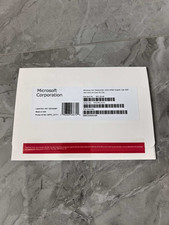
Microsoft Windows Server 2025 Datacenter 64Bit 24 Core 50 cal Freeshipping
$54.99



 Reply With Quote