

 Reply With Quote
Why does a HD install requires initrd ? It is not needed in general unless you have some special needs like your root partition is on a SCSI/RAID device that the bios don't know how to boot from.
just curious.


Hi,
I installed knoppix on HD ( /dev/hda6 as root Partition ).
After a few tests I decided to move the root Partition to /dev/hda1.
Moving the partition worked perfect, but unfortunately the init ramdisk still points to /dev/hda6. ( in the linuxrc script in the initrd image mount /dev/hda6 is HARDCODED ).
(Booting without initrd works, but I would like to activate it again).
The standard mkinitrd does not generate a working initrd.
Is there a kind of knoppix-mkinitrd script?
Or has anybody other hints for me?
Thanks,
Hackepeter
Why does a HD install requires initrd ? It is not needed in general unless you have some special needs like your root partition is on a SCSI/RAID device that the bios don't know how to boot from.
just curious.
It's the way Klaus built the kernel the file systems are loaded as modules not compiled into the kernel therefore you need an initrd (initial root device) to be able to load the file systems otherwise you could not boot.Originally Posted by garyng
 Posting Permissions

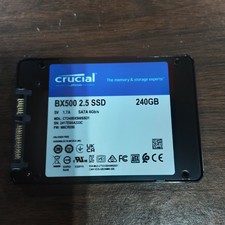
Crucial BX500 CT240BX500SSD1 240GB 2.5" SATA 6Gb/s SSD Solid State Drive
$25.00

ON SALE TURBOLINK EVO 4TB V-HAND SSD 2.5 SATA III Internal Solid State Drive
$199.99

Samsung 860 EVO 250GB SSD MZ-76E250 2.5" SATA III Solid State Drive -
$36.99

Western Digital Blue 3D NAND 250GB 2.5" SATA III Internal SSD - WDS250G2B0A
$29.99

SAMSUNG SSD 512GB 500GB 480GB 256GB 250GB 240GB SSD 2.5 Solide State Drive 6Gbps
$40.99

$25.00

256GB mSATA SSD DRIVE MIXED BRAND TESTED WORKING
$23.50

Crucial 2TB P3 Plus NVMe PCIe 4.0 M.2 Laptop Desktop Internal SSD CT2000P3PSSD8
$199.00

Toshiba THNSN81Q92CSE 1920GB SATA 2.5 Solid State Drive
$199.00

Netac 120GB 256GB 1TB 2TB Internal SSD 2.5'' SATAIII 6Gb/s Solid State Drive lot
$119.99