

 Reply With Quote
Hi Johnmd,
I use every day Canon MP190 with knoppix 6.7.1
I use the default driver of knoppix: choose Canon PIXMA MP180 with CUPS and Gutenprint
It works great
I have yet to try with knoppix 7 when will be available
Bye


Hi Everyone
The printer driver packages I downloaded from Canon for my Canon Pixma mp190 multifunction which have worked fine since Knoppix 6.0.1 -see post below
http://knoppix.net/forum/threads/276...nown-yesterday
no longer work in Knoppix 7.0 because it now uses the package libcups2 instead of libcupsys2. After some googling I found this post that seemed to offer a DIY solution
http://www.teachmejoomla.net/code/li...udev-rule.html
This post gives the general idea of what to do.
But in fact it doesn't work on debian/knoppix 7.0 because there is no <deb> command available and archive-manager/file-roller will only open an archive read only [even when run as root] - but what does work is to extract cnijfilter-common####.deb with the command
file-roller --extract-to=./cnijfilter-common cnijfilter-common_3.00-1_i386.deb
[answering yes to the question of whether to create the folder as it does not yet exist]
then go into created folder <cnijfilter-common> and open the file /Debian/control with gedit [as root] and change the entry under line 'requires' from
libcupsys2 to libcups2 - [inserting in the approprate version details for your libcups2 package]
save the changes and then put the .deb package back together again with
dpkg-deb --build cnijfilter-mp190 cnijfilter-mp190.deb
giving it a new name - [which doesn't have to obey all the complex debian package/version nameing rules if you are only doing it for your own immediate use]
then install your new package
dpkg -i cnijfilter-common.deb
and repeat the whole process with the cnijfilter-mp190#####.deb package and install that too
then go to preferences | printer configuration and modify the settings again to change the driver to the one you've just installed
The scangear-common####.deb and scangear-mp190####.deb packages will install fine just as they are, without playing around with them [on my ageing Compaq desktop, anyway].
I doubt if such a simple fix will work in many cases of dependency conflict but it does work in this case. I hope it will help other people too.
Best wishes, John

Hi Johnmd,
I use every day Canon MP190 with knoppix 6.7.1
I use the default driver of knoppix: choose Canon PIXMA MP180 with CUPS and Gutenprint
It works great
I have yet to try with knoppix 7 when will be available
Bye
Hi Blacksimon
Thank you. I'll remember that in future. I'm sure you are right. I've just got in a bit of a rut with installing the Canon Driver version. It's so long ago now that i started doing this, (maybe back to v6.0) that I'm not sure exactly, but I have a memory of colour printing not giving the true colours with the standard Gutenprint MP180 driver. But by now, maybe the Gutenprint Driver has changed too. It's certainly much easier to just use the Gutenprint one that comes already to use with Knoppix.
Best wishes, John
 Posting Permissions


Intel Core i7-3770K 3.5 GHz Processor
$39.00

INTEL CORE I7-870 SLBJG 2.93GHZ LGA1156 4 CORE CPU PROCESSOR
$23.00

INTEL CORE I9-10940X X-SERIES PROCESSOR | 3.30GHZ | SRGSH
$179.99

Intel Core i9-9900K SRG19 3.60GHz 16MB 8-Core LGA1151 B Grade CPU Processor
$175.00

AMD Ryzen 5 5500 Processor ( read Description)
$59.00

Intel Core i5-12500T SRL5W 2GHz 18MB 6 Core Socket LGA1700 Desktop CPU Processor
$114.99

Intel i7-8700 Coffee Lake 3.2GHz 6-Core Max Turbo 4.6GHz Processor
$67.99

Intel SR3XE Core i5-8500 3.0GHz 9M Socket 1151 6-Core CPU Processor *Tested*
$32.99

LAST BATCH *Brand New-Sealed* AMD Ryzen 9 9950X3D2 Dual Ed. 4.3GHz 16Core AM5
$768.00
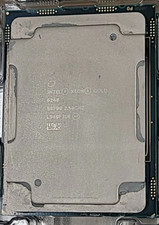
Intel SRF90 Xeon Gold 6248 2.50GHz 20 Core LGA 3647 Server CPU Processor
$55.99