

 Reply With Quote
First make sure you aren't currently in the /mnt/cdrom directory via a shell or graphical file manager.
Try: "umount /mnt/cdrom"
If that doesn't work try that or "eject cdrom" as root. Hopefully that should work.


I`ve typed:
mount /dev/cdrom /mnt/cdrom
Now I want to put another disk and I don`t know how to unmount it?
Tried eject and umount but it gives me device busy.
First make sure you aren't currently in the /mnt/cdrom directory via a shell or graphical file manager.
Try: "umount /mnt/cdrom"
If that doesn't work try that or "eject cdrom" as root. Hopefully that should work.
I have gotten in the habit of doing this:
sudo umount -a
It won't umount anything that's in use (/home, /, /proc etc) but it will umount everything it can.
 Posting Permissions


Seagate ST6000NM0115 6TB 256MB 7200RPM 3.5" SATA 6.0Gb/s Enterprise Hard Drive
$159.99
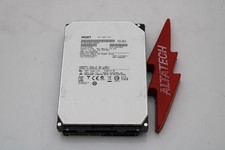
Hitachi HUS726060ALA640 6TB 7.2K SATA 3.5 6G HDD Hard Disc Drive
$109.99
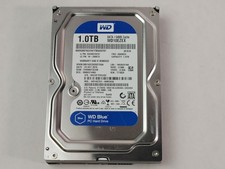
Western Digital WD Blue WD10EZEX 1 TB 3.5" SATA III Desktop Hard Drive
$23.99

HGST Ultrastar HUS726040AL5210 4TB 7200RPM SAS 12Gb/s Enterprise HDD
$41.00

Hitachi / HGST Travelstar HTS541010B7E610 1TB 2.5" SATA III HDD
$29.99

HITACHI ULTRASTAR 2TB 7.2K 6G 3.5INCH SATA HDD HUS724020ALA640 | TESTED WIPED
$34.95

HGST HUS724040ALA640 4TB 7200 RPM SATA 3.5" Internal Desktop Drive 100% Health
$78.00
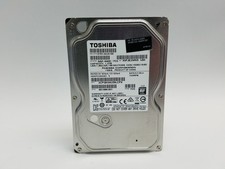
Toshiba DT01ACA100 1 TB 3.5" SATA III 3.5 in Desktop Hard Drive
$24.99

HUS726060ALA640 HGST Ultrastar 6TB SATA 6Gbps 7.2K 3.5" Hard Drive OF21860
$129.99

New Western Digital WD40EFPX 68C6CN0 4TB 3.5" SATA III Internal NAS Red Plus HDD
$137.59