

 Reply With Quote
Out of curiosity I tried Run Level 2 and got the console as I assumed. But there is no lxterminal -Originally Posted by klaus2008

see screenshot and message root@Microknoppix:/# bash : lxterminal: command not found


Hi Klaus and thanks for your time....
Yes, I do. After Power "ON" it runs through boot "using /mnt-system/Knoppix/knoppix-data.img" (for a spit second I can see root/Microknoppix #) and ends up there. - see attachment.
I'm not able to get the console!
I probably could change syslinux.cfg on my Desktop to Run level 2, but I think it's not worth it.
I came to the conclusion that it is for me to much effort to go through the whole configuration (WiFi, Bluetooth, ...) again and I would like to wait for the Knoppix Rev. 7 and do it then. What do you think?
Out of curiosity I tried Run Level 2 and got the console as I assumed. But there is no lxterminal -
see screenshot and message root@Microknoppix:/# bash : lxterminal: command not found
Maybe you made too many updates at a time or some essential packages were removed automatically.
The screenshot shows error messages of the Xserver.The framebuffer device was not found. My first idea is that you could boot with the additional cheat code 'nofb'.(EE) open /dev/fb0: No such device
KK should publish the next Knoppix 7 public version within the next few weeks, but I think that you cannot be sure that Knoppix 7 will be working 'out of the box'. On the other hand you know now how to get Knoppix 6.7 running on your system.I came to the conclusion that it is for me to much effort to go through the whole configuration (WiFi, Bluetooth, ...) again and I would like to wait for the Knoppix Rev. 7 and do it then.
If you remove the persistent image file all your personal settings and downloaded files are lost. If you still need one or the other then you should copy it to a place outside the persistent image file. In this case I would boot into runlevel 2 and create a new directory /mnt-system/myfilesCopying files is easy if you can use the Midnight Commander. The commandCode:mkdir /mnt-system/myfileswill start the program. The article 'An Introduction to the Midnight Commander' explains the basic usage of that program.Code:mc
After you have copied your personal files you can delete the persistent image file. The main thing is that this file may not be in use. I would boot into runlevel 2 with the additional cheat code 'noimage'. In the console you can issueThis will create an empty file system inside your persistent image file.Code:mke2fs -F -m 0 /mnt-system/KNOPPIX/knoppix-data.imglets you reboot your system.Code:reboot
I got mc running! I created directory "/myfiles" where you recommended.
Am I right, all my personal settings are in directory "/home"?
Do you here talk about preparations for a new Knoppix 7 installation on the same USB stick?
Thanks for your help, you are very supportive!
Now that you have created a directory outside the persistent image you can copy the important files from your home directory and its subdirectories to the new directory. Your home directory is /home/knoppix because 'knoppix' is the user name. I think that most users will have their important files in /home/knoppix/Desktop and /home/knoppix/Downloads, but there could be other subdirectories, too.Am I right, all my personal settings are in directory "/home"?
I am talking about the creation an 'empty' persistent file for Knoppix 6.7 so that you can start the configuration of Knoppix again. If you plan to create a USB stick with Knoppix 6.7 and Knoppix 7.0 at the same time you must rename the KNOPPIX directory and use the cheat code 'knoppix_dir=[new directory name]' They cannot share the same persistent store! Each version of Knoppix needs its own persistent image. Sharing the same files can be done by using a directory outside the persistent image files. I think that the creation of a multiboot USB stick is for very advanced users who exactly know what they do. You won't have a setup program which would assist you.Do you here talk about preparations for a new Knoppix 7 installation on the same USB stick?
I hope that helps!
Thank you, Klaus...Yes that helps....
Wish you Happy Easter Holidays
OK, System is up and running again...Although no update/upgrade with Synaptic Package Manager possible because of message
Which I'm still not able to do!Could not apply changes!
Fix broken packages first.
Last edited by Karibu; 04-10-2012 at 09:46 AM. Reason: Spelling
 Posting Permissions


Samsung 2.5" 870 EVO SSD SATA III 250GB 500GB 1TB Internet Solid State Drive Lot
$100.00

Western Digital Blue 3D NAND 500GB Internal 2.5" SSD - WDS500G2B0A
$49.99

Samsung 860 EVO 250GB SSD MZ-76E250 2.5" SATA III Solid State Drive -
$36.99
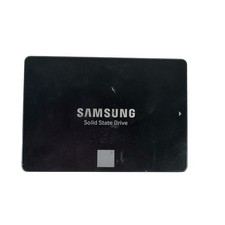
Samsung 250GB SSD 850 EVO 2.5" Internal Solid State Drive MZ7LN250 MZ-75E250
$25.99

Netac 2TB 1TB 512GB 256GB Internal SSD 2.5inch SATAIII Solid State Drive lot
$549.00

Fanxiang 256GB 512GB 1TB 2TB 4TB SSD Lot 2.5'' SATA Internal Solid State Drive
$42.99

2 PACK 128 GB SSD M.2 2280 SATA Solid State Drive Major Brands, Samsung, LiteON
$28.00

Fanxiang 1/2/5/10Pcs 2.5'' SATA SSD Lot 1TB 2TB 4TB 512GB 256GB TLC Internal SSD
$129.99

Intel Solid-State Drive DC S3500 Series 240GB Internal 2.5" (SSDSC2BB240G4P) SSD
$29.99

Netac 120GB 256GB 1TB 2TB Internal SSD 2.5'' SATAIII 6Gb/s Solid State Drive lot
$75.99