

 Reply With Quote
@ luther
I think you can stop digging now. See my Post #10.
And, well done.


Knoppix forum,
I can only find these OLD Hotlinks to activate Wifi:
http://smtp.knoppix.net/wiki/Network...ppix_5.1.1_FAQ
http://smtp.knoppix.net/wiki/Network...ppix_5.3.1_FAQ
Is there anything NEW, or are the OLD DOCS still valid?
Reply requested, please . . .
@ luther
I think you can stop digging now. See my Post #10.
And, well done.
Hey utu!Originally Posted by utu

What's interesting to me, I didn't know Knoppix existed the beginning of 2012.
Then I stumbled across 6.4.3, nicely barried out in cyberspace, somewhere.
Adriane, on this version runs beautiful on a 200MHz, 80MB RAM antique micro.
@ luther
I expect Klaus2008 may be able to show you how, but
building and installing b43 from scratch is probably a more difficult exercise than you want to undertake.
If or when Klaus K tackles this problem, I would expect to see the result around mid-year in an update on Knoppix 7.0.
I would not necessarily expect to see an amended 6.7.1.
An external wifi, compatible with your computer would be a possible interim solution.
I use that approach to get some of the other distributions going.
Last edited by utu; 04-19-2012 at 02:56 PM.
@ luther
At your convenience...
for your 6.4.3 LiveCD, I'd like to see:
ls /lib/modules/*/kernel/drivers/net/wireless
and for b43 or any b43... directory, for example
ls /lib/modules/*/kernel/drivers/net/wireless/b43legacy
also less /boot/config*|grep -i b43
and less /boot/config*|grep -i wl
I would like to know if 6.4.3 somehow had both b43 AND wl
built into its kernel. I'm pretty sure this NOT the case
for 6.7.1 and 6.4.4. It will make it a lot easier if we
can build BOTH into the kernel and just activate only the
right one. I'm not sure that's possible, but perhaps 6.4.3
will tell us it is.
Dear utu:Code:root@Microknoppix:/home/knoppix# sudo ls /lib/modules/*/kernel/drivers/net/wireless adm8211.ko atmel_cs.ko iwlwifi orinoco rtl818x airo.ko atmel_pci.ko iwmc3200wifi p54 wl12xx airo_cs.ko b43 libertas prism54 wl3501_cs.ko at76c50x-usb.ko b43legacy libertas_tf ray_cs.ko zd1201.ko ath hostap mac80211_hwsim.ko rndis_wlan.ko zd1211rw atmel.ko ipw2x00 mwl8k.ko rt2x00 root@Microknoppix:/home/knoppix#
Is this OK, so I can step-and-repeat the others?
luther
Code:root@Microknoppix:/home/knoppix# sudo ls /lib/modules/*/kernel/drivers/net/wireless/b43legacy b43legacy.ko root@Microknoppix:/home/knoppix#Code:root@Microknoppix:/home/knoppix# sudo less /boot/config* |grep -i b43 CONFIG_B43=m CONFIG_B43_PCI_AUTOSELECT=y CONFIG_B43_PCICORE_AUTOSELECT=y CONFIG_B43_PCMCIA=y CONFIG_B43_SDIO=y CONFIG_B43_PIO=y CONFIG_B43_PHY_LP=y CONFIG_B43_LEDS=y CONFIG_B43_HWRNG=y # CONFIG_B43_DEBUG is not set CONFIG_B43LEGACY=m CONFIG_B43LEGACY_PCI_AUTOSELECT=y CONFIG_B43LEGACY_PCICORE_AUTOSELECT=y CONFIG_B43LEGACY_LEDS=y CONFIG_B43LEGACY_HWRNG=y CONFIG_B43LEGACY_DEBUG=y CONFIG_B43LEGACY_DMA=y CONFIG_B43LEGACY_PIO=y CONFIG_B43LEGACY_DMA_AND_PIO_MODE=y # CONFIG_B43LEGACY_DMA_MODE is not set # CONFIG_B43LEGACY_PIO_MODE is not set CONFIG_SSB_B43_PCI_BRIDGE=y root@Microknoppix:/home/knoppix#Code:root@Microknoppix:/home/knoppix# sudo less /boot/config* |grep -i wl CONFIG_IP_VS_WLC=m CONFIG_MTD_UBI_WL_THRESHOLD=4096 CONFIG_SCSI_LOWLEVEL=y CONFIG_SCSI_LOWLEVEL_PCMCIA=y CONFIG_WLAN=y CONFIG_PCMCIA_WL3501=m CONFIG_USB_NET_RNDIS_WLAN=m CONFIG_MWL8K=m CONFIG_IWLWIFI=m # CONFIG_IWLWIFI_DEBUG is not set CONFIG_IWLAGN=m CONFIG_IWL4965=y CONFIG_IWL5000=y CONFIG_IWL3945=m CONFIG_WL12XX=m CONFIG_WL1251=m CONFIG_WL1251_SDIO=m CONFIG_WL1271=m CONFIG_WL1271_SDIO=m CONFIG_USB_SERIAL_KEYSPAN_USA49WLC=y CONFIG_UWB_WLP=m CONFIG_UWB_I1480U_WLP=m CONFIG_WLAGS49_H2=m CONFIG_WLAGS49_H25=m root@Microknoppix:/home/knoppix#
Dear utu:
I need more details of your external wifi setup? I'm picturing something like the
digital camera connected via USB cable to the micro's I/O. Knoppix 6.7.1 DVD
would be the only reason to approach your suggestion. Therefore, finding an
external wifi that matches 6.7.1 package would be my concern. Any suggestions?
I/O on the hp dv8000 notebook is USB 2.0
luther
@ luther
Almost.
I specifically want to see sudo ls /lib/modules/*/kernel/drivers/net/wireless/b43.
I'm pretty sure b43 is a directory with something in it.
And thanks.
 #5
#5
Code:root@Microknoppix:/home/knoppix# sudo ls /lib/modules/*/kernel/drivers/net/wireless/b43 b43.ko root@Microknoppix:/home/knoppix#
 Posting Permissions


Rare Vintage Macintosh Apple Wooden Disk Storage Box Dovetailed
$69.95

Vintage 1998 iMac G3 M4984 Mac OS + Keyboard Working but Needs Some Repair Read
$295.00

Apple Power Macintosh PowerPC 7300/200 VTG w Keyboard Mouse Storage Drive Read
$199.99

Apple Macintosh DuoDock Duo Dock M7779 & Powerbook 230 Vintage Mac RARE Vintage
$249.00
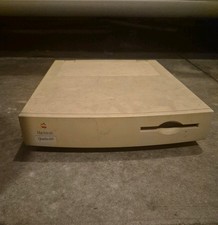
Apple Macintosh Quadra 605 Vintage Desktop Computer, Model M1476 Untested
$299.00
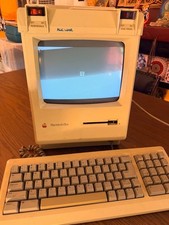
Vintage Apple Macintosh Plus Desktop Computer - M0001A
$155.00

LARGE LOT Vintage Apple Macintosh Mouse Cables Accessories SCSI etc - UNTESTED
$80.00

185--Sonnet Crescendo G3 PPCG3-375-5-K-06 G3 Add-On Card for Vintage Mac
$99.00
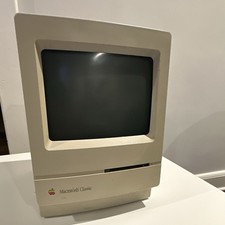
Apple Macintosh Classic M1420 Vintage All-in-One Desktop Computer
$95.00

Mixed Lot Vintage Mac Windows media / Graphics / Sound Software - CDs 37 Pieces
$40.99