-
 Automatically Start nm-applet After HD Install...
I just installed Knoppix 6.7.1 to HDD from a Live CD. While using the Live CD, The Network Manager's nm-applet places an icon in the panel, but after installing, the nm-applet icon is NOT in the panel. It appears that nm-applet isn't loaded in the case of a full install. I can load nm-applet by going to a terminal session and entering "nm-applet &", which will then place the applet's icon in the panel, with all working normally afterward. But, I want it to work the same as the Live CD.
Question: How do I get nm-applet to load automatically?
__________________________________________________ _
IBM Aptiva, AMD K6 266MHz, 256Mb Memory, 15Gb HD, D-Link G122 USB Wireless
-
The NMApplet is also per default within HD installation within the panel (left of the clock).
If you've removed it:
right mouseclick to panel => Panel Settings
within the window "Panel Preferences" => tab "Panel Applet"
=> button "Add" => select "System Tray"
-
Hello Werner, and thanks for the quick reply.
No, I didn't remove anything, and I've installed Knoppix 6.7.1 several times with the result always being the same, no nm-applet icon in the panel. Following your instructions, I find that the "System Tray" is already in the panel. In (Panel Preferences / Panel Applets) from the bottom, I have (Digital Clock, CPU Usage Monitor, System Tray. Volume Control, ...).
Some additional info: When I enter "ps aux" in a terminal session, immediately after boot, but before manually starting nm-applet, "nm-applet" DOES NOT appear in the list of processes. After I enter "nm-applet &" to manually start nm-applet, "nm-applet" DOES appear in the list of processes. Apparently, nm-applet is not being launched automatically.
Is it possible that the failure to launch nm-applet is an i586 issue?
-
OK, over the past day or so, some foggy memories have returned of having been here before. Last year, I installed Knoppix 6.7.1 on a Compaq Deskpro (Pentium II), after having Knoppix 6.7.0 installed on it, and I ran into the exact same problem. After spending too much time trying (unsuccessfully) to get the nm-applet problem sorted, I re-installed 6.7.0, which worked great, proving the problem to not be an i586 issue. Last night, I installed 6.7.0 on the Aptiva, and Voila!!!, the nm-applet problem was gone. It's NOT an i586 issue.
Now, with Knoppix 6.7.0 running great on the Aptiva, I have a different problem. I tried to install Samba, and had problem with dependencies. If there's a quick answer to this, here's the message that Synaptic returned:
samba:
Depends: samba-common (=2:3.5.6~dfsg-3squeeze7) but 2:3.5.8~dfsg-1 is to be installed
Depends: libwbclient0 (=2:3.5.6~dfsg-3squeeze7) but 2:3.5.8~dfsg-1 is to be installed
Otherwise, it's the topic of a different thread.
Werner - Thanks for trying to help..
Tags for this Thread
 Posting Permissions
- You may not post new threads
- You may not post replies
- You may not post attachments
- You may not edit your posts
-
Forum Rules


Intel Core i7-9700 Octa-Core 3 GHz Desktop Processor LGA 1151
$79.99
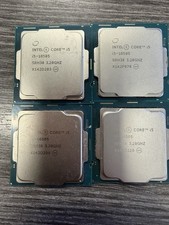
LOT OF 4 Intel Core i5-10505 6-Core 3.2GHz SRH38 CPU Processor
$349.95

INTEL CORE I7-870 SLBJG 2.93GHZ LGA1156 4 CORE CPU PROCESSOR
$23.00
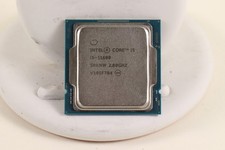
INTEL CORE I5-11600 2.80GHZ PROCESSOR | SRKNW
$109.99

AMD Ryzen 5 5600X Desktop Processor (3.7GHz, 6 Cores, AM4 CPU) 100-100000065
$135.00

Intel Core i7-8700 3.2 GHz 8 GT/s LGA 1151 Desktop CPU Processor SR3QS
$67.99
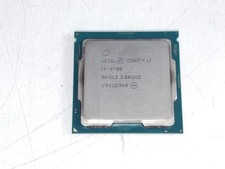
Intel Core i7-9700 3.00 GHz LGA 1151 Desktop CPU Processor SRG13
$79.99
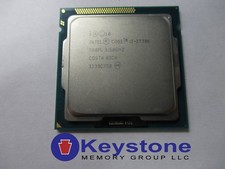
SR0PL Intel Core i7-3770K 3.50GHz Quad Core 8MB LGA1155 CPU Processor *km
$43.99
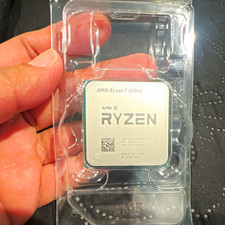
AMD Ryzen 7 5700X 8-Core 3.4GHz Socket AM4 CPU MPN 100-000000926
$150.00
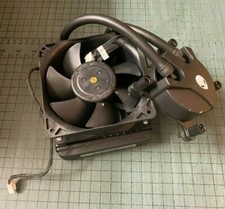
Genuine Dell Alienware Aurora R8 R9 R10 R11 R12 Liquid CPU Cooler MH0HN 0MH0HN
$21.80



 Reply With Quote