-
Hello Werner, and thanks for the quick reply.
No, I didn't remove anything, and I've installed Knoppix 6.7.1 several times with the result always being the same, no nm-applet icon in the panel. Following your instructions, I find that the "System Tray" is already in the panel. In (Panel Preferences / Panel Applets) from the bottom, I have (Digital Clock, CPU Usage Monitor, System Tray. Volume Control, ...).
Some additional info: When I enter "ps aux" in a terminal session, immediately after boot, but before manually starting nm-applet, "nm-applet" DOES NOT appear in the list of processes. After I enter "nm-applet &" to manually start nm-applet, "nm-applet" DOES appear in the list of processes. Apparently, nm-applet is not being launched automatically.
Is it possible that the failure to launch nm-applet is an i586 issue?
Tags for this Thread
 Posting Permissions
- You may not post new threads
- You may not post replies
- You may not post attachments
- You may not edit your posts
-
Forum Rules


NETGEAR ProSafe 5-port Gigabit Switch GS105v5
$9.99

TP-Link 5-Port Gigabit Unmanaged Ethernet Switch Network Expansion TL-SG105
$19.95

Cisco Catalyst 2960-48TT-L 48-Port Fast Ethernet Managed Rackmount Switch
$46.99

5Ports Gigabit Network Switch w/ 4 PoE+ Ports Total 52W each port 30W Plug&Play
$31.99

Linksys 8-Port Managed Gigabit PoE+ Switch 110W w/ 2 Uplink Gigabit - LGS310MPC
$49.02

TP-Link TL-SG2210P 10-Port Gigabit Smart Switch w/ 8-Port PoE+ NO AC SKU 25597
$39.99
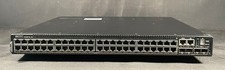
Dell PowerSwitch N3248PXE-ON 48 Port UPoE+ 10GbE QSFP28 Switch-W/OS6
$3599.99

10-Port Gigabit PoE Network Switch with 8 PoE+ Ports with 2 Combo SFP Slots 125W
$69.99

NETGEAR 5-Port Gigabit Ethernet Unmanaged Switch (Gs305) - Desktop Quiet Fanless
$22.00

10-Port Gigabit PoE Network Switch with 8 PoE+ Ports with 2 Combo SFP Slots 125W
$39.99



 Reply With Quote