-
Problem genisoimage
My problem is that when I go to remaster a Knoppix 6.7.1 CD uncompressed in
directories (not partitions) I find that the package mkisofs is
integrated into genisoimage and to create compressed KNOPPIX image and pass the following
I get the following error:
mkisofs -input-charset ISO-8859-15 -no-split-symlink-components -no-split-symlink-fields
-R -l -U -V "KNOPPIX filesystem" -P "KNOPPIX www.knoppix.net" -hide-rr-moved
-cache-inodes -pad /home/knx/knxmaster/master | create_compressed_fs - 65500 >
/home/knx/KNOPPIX/KNOPPIX
bash: mkisofs: no se encontró la orden
2 processor core(s) detected
Warning, number as file string found. Assuming old command syntax and
choosing compatible parameters (-m -B 65500). See the usage info (-h)
for better/correct parameters.
Block size 65500, expected number of blocks: 2147483647
I tried with genisoimage proving the following:
genisoimage -R -U -V "KNOPPIX.net filesystem" -publisher "KNOPPIX www.knoppix.net"
-no-bak -quiet /home/knx/knxmaster/master | /usr/bin/create_compressed_fs -B 65536 -f
/opt - /home/knx/KNOPPIX/KNOPPIX
2 processor core(s) detected
ERROR: Opening temporary file. Exiting...
Warning: creating filesystem that does not conform to ISO-9660.
where is the error? thanks.
-
-
Werner, I work as user ROOT! Thanks, but I still have the problem..
-
... and what's about the HowTo? I've rewritten it and tested carefully.
-
Werner, thank you.
failure is to specify the file to opt
genisoimage -R -U -V "KNOPPIX.net filesystem" -publisher "KNOPPIX www.knoppix.net"
-no-bak -quiet /home/knx/knxmaster/master | /usr/bin/create_compressed_fs -B 65536 -f
/opt/rem.iso (for example) - /home/knx/KNOPPIX/KNOPPIX

Originally Posted by
Werner P. Schulz

... and what's about the HowTo? I've rewritten it and tested carefully.
-
Senior Member
registered user
Originally Posted by
renpa
...| /usr/bin/create_compressed_fs -B 65536 -f
/opt - /home/knx/KNOPPIX/KNOPPIX
2 processor core(s) detected
ERROR: Opening temporary file. Exiting...
Warning: creating filesystem that does not conform to ISO-9660.
where is the error? thanks.
If you use the '-f ' option of create_compressed_fs you have to specify the complete filename for the temporary file. /opt is usually a directory. If you create a temporary file in this directory it is created inside the persistent image if you have flash install of Knoppix. This would result in slow system performance. If you have a sufficient huge ramdisk you could create the temporary file there. I would recommend that you use an HDD for this temporary file.
-

Wow!!! Klaus, thank you very much. The file especify in /opt as .iso temporary file to create la image...
With genisoimage result:
Warning: creating filesystem that does not conform to ISO-9660 <----why?
2 processor core(s) detected
Block size 65536, expected number of blocks: 2147483647
[ 9] Blk# 0, [ratio/avg. 20%/ 20%], avg.speed: 6553 b/s, ETA: -20s
[ 9] Blk# 100, [ratio/avg. 7%/ 11%], avg.speed: 661913 b/s, ETA: 42524418s
[ 9] Blk# 200, [ratio/avg. 7%/ 10%], avg.speed: 1197521 b/s, ETA: 10683987s
[ 9] Blk# 300, [ratio/avg. 22%/ 10%], avg.speed: 1643861 b/s, ETA: 14268982s
[ 9] Blk# 400, [ratio/avg. 42%/ 13%], avg.speed: 2021533 b/s, ETA: 5355307s
Thanks.... Klaus.
Originally Posted by
klaus2008
If you use the '-f ' option of create_compressed_fs you have to specify the complete filename for the temporary file. /opt is usually a directory. If you create a temporary file in this directory it is created inside the persistent image if you have flash install of Knoppix. This would result in slow system performance. If you have a sufficient huge ramdisk you could create the temporary file there. I would recommend that you use an HDD for this temporary file.
 Posting Permissions
- You may not post new threads
- You may not post replies
- You may not post attachments
- You may not edit your posts
-
Forum Rules


Dell 6P85J 4TB ST4000NM0063 7.2k 6Gb/s 3.5” SAS SED Hard Drive with Tray
$39.99

Western Digital HUS726T4TAL5204 4TB 7.2K SAS 12Gb/s 3.5" 512e HDD NetApp X375A
$64.00

DELL 2TB Enterprise HDD (7200RPM, 3.5", SATA III, 128MB Cache) HUS722T2TALA600
$49.95

(ST8000NM0045) SEAGATE ENTERPRISE 8TB 7200RPM 4Kn SATA 6Gb/s 3.5" HARD DRIVE
$199.99

Seagate ST500DM009 BarraCuda 500 GB 3.5" SATA III Desktop Hard Drive
$14.99

HGST HUS724040ALA640 HDD 4TB SATA 6Gb/s 7.5K 3.5" 0F19459 512 b/s
$78.00
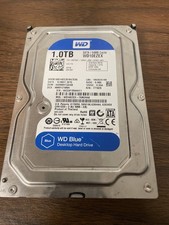
Western Digital WD Blue 1TB SATA 3.5in 7200RPM 64MB Internal HDD WD10EZEX
$14.99

HGST HUA723030ALA640 3TB SATA 7200 RPM 3.5 in Enterprise HDD | 0F14044 (100%)
$45.00

Seagate ST12000NM0127 12TB 256MB 7200RPM 3.5" SATA 6.0Gb/s Enterprise Hard Drive
$318.99

Seagate ST8000DM004 8TB 3.5" 6Gb/s 256MB SATA HDD P/N: 2CX188-300 Tested
$149.99



 Reply With Quote