-
 unable to mount floppy drive
I just got a set of floppy disks for my computer. i know they are old tech but I love to use them. i went to computer in file viewer and clicked on the floppy drive. It said it was a mount point and asked what program I wanted to open it with. I thought the floppy's I bought were per-formatted. I don;t know what it is asking me to do. Should I try to reformat them? I can't even find the floppy drive in fstab. And I can't manually mount it with mount in a terminal. I'm using knoppix 6.7.1 on an old HP pavilion 513W
-
Senior Member
registered user
Open a terminal, insert a floppy disk with some files on it and issue the command This will give you information about the mount device name of you floppy disk drive. In my case I use a USB floppy disk drive connected to an old HP Omnibook and get the device name /dev/sdb.
Then open a PCMan file manager. Do not select My computer from the menu, but click on the proper device in the left pane of the file manager. In my case I have to click on sdb.
Before you remove the floppy disk right click on the device in the left pane of the file manager and unmount the disk.
I hope that helps.
-
Senior Member
registered user
It seems that mounting and unmouting of floppy disks cannot be done with the PCMan file manager if your floppy disk drive is not a USB device but a conventional one.
You could try the following.
Open a terminal. Insert a floppy disk with some files on it into your floppy disk drive. Create a mount point, load the appropriate kernel module and mount your floppy disk.
Code:
sudo mkdir /media/fd0
sudo modprobe floppy
sudo mount -o uid=1000,gid=1000 /dev/fd0 /media/fd0
Open a file manager and navigate to the directory /media/fd0. You should see the files on your floppy disk.
Before you remove your floppy disk you should close the file manager and issue the command
Code:
sudo umount /media/fd0
in a terminal.
-
The problems is that all my floppys are file free... will try the suggestions anyway.
-
hwinfo --floppy didn't give me anything.
second idea worked until I try to unmount, it says /media/fd0 isn't mounted
-
Which kind of floppy drive do you have - USB drive or a intern drive with floppy data cable? If intern drive,does BIOS recognize and/or support floppy disk and what kind of floppy disk? While booting do you see light of the drive-LED?
If you have very old floppy disks the preformat may be damaged; therefore Knoppix cannot mount the disk. Try to new format a floppy disk.
-
I reformated, setup the fstab file and everything seems to be working fine now. just one more question, how can i tell if the files are on the floppy without another floppy enabled computer?
internal floppy, BIOS recognises it. 3.5 MF2HD 1.44 MB formatted for IBM ps/2 and compatible disks
-
well never mind my last post, same problems as before. any ideas?
Tags for this Thread
 Posting Permissions
- You may not post new threads
- You may not post replies
- You may not post attachments
- You may not edit your posts
-
Forum Rules


Yealink T48S VoIP/SIP Phone, 2 x Gigabit Ports PoE 7" Color SIP-T48S | TESTED
$34.95

Grandstream VoIP Phone Adapter ATA 1-Line Black Ethernet (RJ-45) Micro USB
$27.07

Yealink MP54 - VoIP Phone - Black Teams phone Android POE WIFI Bluetooth
$49.95

Cisco CP-8841 IP Phone Charcoal Handset And Stand Included
$27.99

Yealink SIP-T33G IP Phone 4-LineSpeakerphone VoIP Desk Phone Black w/ Power Sply
$25.00

Grandstream HT701 1-Port FXS Analog Telephone Adapter ATA VoIP Gateway -Free S/H
$19.99
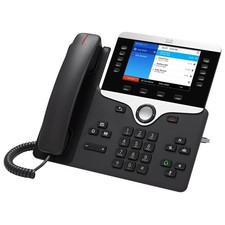
LOT OF 10 - Cisco CP-8841-3PW-NA-K9 IP Phone 8841 MPP Multiplatform VoIP
$69.99

Grandstream WP810 Portable Cordless Wi-Fi IP Phone
$49.28

Poly CCX 400 Desktop Business Media Phone VoIP 2200-49700-019
$49.99
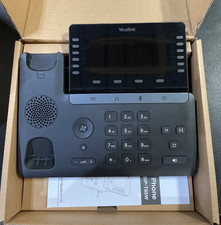
Yealink SIP Phone T85W
$153.99



 Reply With Quote