

 Reply With Quote
--To add the scan on every boot, edit the syslinux.cfg file on the floppy and add it to the kernel parms.
Originally Posted by Eradicator


I checked out all of the posts here
http://www.knoppix.net/forum/viewtopic.php?p=12040
and here
http://www.knoppix.net/forum/viewtop...sboot&start=15
but I am still not clear on how to do this. I used the boot.img process to get a boot disk that allows me to run Knoppix from the HD but is this a different kind of boot disk?
Can someone post clear, concise steps. I am not following the explanations.
I am under the impression that this will speed up my boot process. Also is there a way to add the lines like "knoppix myconfig=scan" to the boot disk so I do not have to type it in each time.
Thanks
Also can this process be done from Windows?...editing...etc
--To add the scan on every boot, edit the syslinux.cfg file on the floppy and add it to the kernel parms.
 Posting Permissions


Yealink T48S VoIP/SIP Phone, 2 x Gigabit Ports PoE 7" Color SIP-T48S | TESTED
$34.95

Cisco 8861 Gigabit IP Phone Phone 5-line business-class VoIP Wifi Bluetooth
$39.99
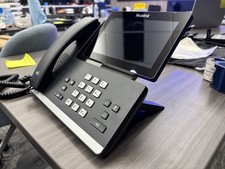
Yealink SIP-T58W Bluetooth Cordless Handset IP Phone 7in Touch WiFi - Used
$329.00

Grandstream WP810 Portable Cordless Wi-Fi IP Phone
$49.28
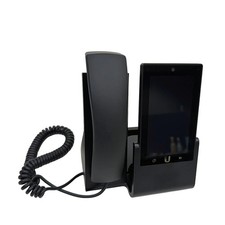
UBIQUITI UVP-TOUCH VoIP Desktop Touchscreen Smart Phone
$55.00

Yealink SIP-T33G IP Phone 4-LineSpeakerphone VoIP Desk Phone Black w/ Power Sply
$25.00

Cisco CP-7841-K9 4-Line Gigabit VoIP IP Phone PoE Office Desk 3.5" Display NEW
$89.99

Cisco/Linksys SPA2102 VoIP Phone Adapter Router 2FXS (Unlocked)
$17.99

Poly CCX 400 Desktop Business Media Phone VoIP 2200-49700-019
$49.99
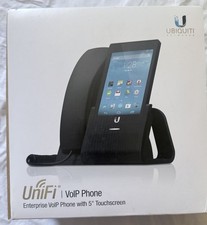
$85.00