-
Senior Member
registered user
 Tne need for manual install

Originally Posted by
Werner P. Schulz

...if you want a new version of Adobe flash player within Knoppix you can do it with aptitude. "aptitude update" and if there is a new version of "flashplugin-nonfree" you can install (update) it. For example within Knoppix V7.3.0 there have been flashplugin-nonfree 1:3.4. After "aptitude update" I can select flashplugin-nonfree 1:3.5 and will get the latest version from Adobe...
Hi, Mr. Schulz, why is it that you say hello to Mr. Kuhman but not to me when I greet you, when you post to my reply  ? We _are_ acquainted, so far as I can remember, exchanging personal messages... If there has been a misunderstanding somewhere along the way I sincerely apologise.
I have reservations against apt's ability to resolve issues.
The latest example is my trying to install nVidia packages in my HCL laptop. The problem is that Knoppix uses several repos, including Stable, Testing and Experimental. The chances are that the packages of each repo may be incompatible with the other, like my nVidia drivers. I first installed nvidia-detect, then tried to install other nvidia drivers, as directed by nvidia detect. I tried but apt would not install, reporting conflicting dependencies. Then I was compelled to download and install the drivers via gdebi, as without the drivers my display is limited to 1024X768. With nvidia drivers it is 1280X800. Now, the repository database is broken. I can install new packages, but at the end it will report the installed conflicting dependencies of nvidia xserver.
There is another option, using just one repository to install a package such as nvidia. I know, but am not changing the setup since my system is working just fine! But I will do it in future with a new release of Knoppix.
In the end, Apt and Knoppix scripts are created for automation, by men, to be used by men, hence is limited like men are. They will work when they do, but no automation is panacea, I mean, for all systems and for all times.
Hence, in particular cases, we do need to remember the manual install methods. This was the context for my emphasising on the manual install method via the adobe's native Readme.txt file inside its archive package.
Since the intent of this thread has already been addressed, shall we close it now and discuss the related issues in some other thread?
 Posting Permissions
- You may not post new threads
- You may not post replies
- You may not post attachments
- You may not edit your posts
-
Forum Rules


Dell T7910 Workstation Tower Homelab AI Server PC - Xeon CPU - NO HDD/RAM/GPU
$279.99

Intel Xeon E5-2680 V2 2.8GHz 10-Core 25MB 8GT/s SR1A6 LGA2011 B Grade Server CPU
$7.95

Lenovo ThinkStation P520c Intel Xeon W-2133 6-Core 3.60GHz -NO RAM/ HDD/ GPU/ OS
$127.54

Dell Precision Tower 7810 Xeon E5-2630 v3 @ 2.40GHz , 32GB Ram, NO HDD, NO OS
$239.99
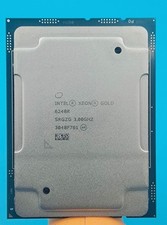
Intel Xeon Gold 6248R 3.0GHz 24-Core SRGZG 35.75MB LGA3647 Server CPU Processor
$269.99

Intel Xeon E5-2699 V4 2.20GHz 55M 22-CORES LGA2011-3 Server Processor 145W SR2JS
$84.49
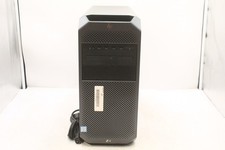
HP Z4 G4 WORKSTATION | INTEL XEON W-2245 3.9GHZ | 512GB | 16GB | NO OS
$299.99
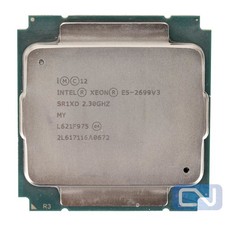
Intel Xeon E5-2699 v3 18 Core 2.3 GHz 45MB SR1XD LGA 2011-3 B Grade
$15.95

For Parts - Lenovo ThinkServer TS460 Part Number: 70TT-0020UX
$149.99

Dell Precision T1700 Workstation Intel Xeon 16G Ram 256GG SSD Nvidia 600 Win 10
$109.99



 Reply With Quote