

 Reply With Quote
Did you tryCode:dpkg -i


I just downloaded the package from the skype site, the debian one, but I cant install it, I tried double clicking, using apt-get and dpkg and I get no result.
apt-get doesn't "recognize" the package, it tells me it doesn't exist, what am I doing wrong?
Im typing
sudo apt-get install skype.deb (thats the package name)
it tells me there is no such package. the package is in the desktop, I also tried typing it without the extension (.deb) but if I do that it tells me its not an installation candidate.
I already checked the apt-get/dpkg thread and I couldn't find anything useful, perhaps some kind soul wants to help me?
Did you tryCode:dpkg -i
yes, it told me that it couldn't find the package.Originally Posted by Werner P. Schulz

Append within the commandline the path to the package. First of all read the manpage to "dpkg"
OK I indicated the path, this is what im doing.
first I log as root from the terminal
then I type dpkg -i /home/knoppix/desktop/skype.deb (I renamed the file from its original name to just skype so that I Wouldn't have to lose time typing the whole name again if I failed)
it tells me
dpkg: error processing /home/knoppix/desktop/skype (--install):
cannot access archive: No such file or directory
Errors were encountered while processing:
/home/knoppix/desktop/skype
I already tried typing skype.deb and skype, gives me the same error.
Im editing my post.
I already got past that small hoop, thing is I wasn't typing Desktop with the capital D.
after doing that, I got this prompt
Selecting previously deselected package skype.
(Reading database ... 73613 files and directories currently installed.)
Unpacking skype (from .../home/knoppix/Desktop/skype.deb) ...
 dpkg: dependency problems prevent configuration of skype:
 skype depends on libqt4-dbus (>= 4.4.3); however:
  Package libqt4-dbus is not installed.
skype depends on libqt4-network (>= 4.4.3); however:
Package libqt4-network is not installed.
skype depends on libqtcore4 (>= 4.4.3); however:
Package libqtcore4 is not installed.
skype depends on libqtgui4 (>= 4.4.3); however:
Package libqtgui4 is not installed.
dpkg: error processing skype (--install):
dependency problems - leaving unconfigured
Errors were encountered while processing:
skype
what does it mean?
What would you think it means? It may be more useful for everyone, not the least yourself, if you try to do some research yourself, like reading manpages, googling up install histories etc.
I suggest you try a meditation on this mantra:
Repeat as often as needed.Code:dpkg: dependency problems prevent configuration of skype: skype depends on libqt4-dbus (>= 4.4.3); however: Package libqt4-dbus is not installed.
As a hint, you may here have an example of why we usually strongly recommend using package managers, like the GUI tool synaptic for administration of applications. If you could find Skype on some repository, register that with the package manager, and install it that way, you might save yourself some time and trouble. Which doesn't mean that the "direct" way of downloading .deb packages and running dpkg isn't OK - but you will then often have to do a few operations manually - like in this case.
Good luck!
I just installed knoppix 7.0.2 DVD to a usb drive and I'm surprised that skype does not seem to be included with the internet programs. Am I missing something or what is the preferred method to run skype on knoppix? Thanks.
Skype is a rather proprietary thing, and there are free alternatives. From the Debian wiki page about Skype, see http://wiki.debian.org/skype:
Then the wiki page goes on to explain how to install from Skype's repository. Add the correct deb reference to /etc/apt/sources.list:
Then proceed as with any other CLI package install:Code:deb http://download.skype.com/linux/repos/debian/ stable non-free
I just tried it, got this result:Code:sudo apt-get update sudo apt-get install skype
I remember when doing something similar two years ago, that there were quite a few glitches when running Skype then. Haven't tried now. Beware that the 32-bits version should be used to minimize problems.Code:#>sudo apt-get install skype Reading package lists... Done Building dependency tree Reading state information... Done The following NEW packages will be installed: skype 0 upgraded, 1 newly installed, 0 to remove and 1019 not upgraded. Need to get 20.2 MB of archives. After this operation, 26.2 MB of additional disk space will be used. WARNING: The following packages cannot be authenticated! skype Install these packages without verification [y/N]? y Get:1 http://download.skype.com/linux/repos/debian/ stable/non-free skype i386 2.1.0.81-1 [20.2 MB] Fetched 20.2 MB in 29s (694 kB/s) Selecting previously unselected package skype. (Reading database ... 364610 files and directories currently installed.) Unpacking skype (from .../skype_2.1.0.81-1_i386.deb) ... Processing triggers for gnome-menus ... Processing triggers for desktop-file-utils ... Setting up skype (2.1.0.81-1) ... #>
BTW, ekiga and linphone are present already, so Skype should not be desperately needed. Anyone having bad experiences with them?
Last edited by Capricorny; 06-23-2012 at 12:37 PM.
I tried the "static" version of Skype on Knoppix 7, you can download it from the official website nothing to install, it works directly
 Posting Permissions


Apple Macintosh Plus 1MB M0001A Vintage Computer Boots Up / Floppy Disk Stuck
$99.99

Apple Macintosh Classic M1420 Vintage Desktop Computer Model Macintosh Classic
$100.00

Vintage Edmark TouchWindow for Macintosh DeskTop Computer Touch Window Never Usd
$63.99

Vintage 1998 iMac G3 M4984 Mac OS + Keyboard Working but Needs Some Repair Read
$295.00

Vintage Apple Macintosh Plus Desktop Computer - M0001A
$150.00

185--Sonnet Crescendo G3 PPCG3-375-5-K-06 G3 Add-On Card for Vintage Mac
$99.00
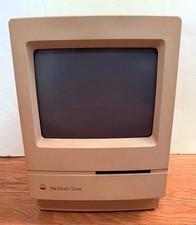
Apple Macintosh Classic Vintage Computer Model M0420 Year: 1990 Untested
$140.00

LARGE LOT Vintage Apple Macintosh Mouse Cables Accessories SCSI etc - UNTESTED
$80.00

Mixed Lot Vintage Mac Windows media / Graphics / Sound Software - CDs 37 Pieces
$40.99
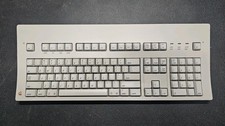
Vintage Apple Macintosh Keyboard M0115
$120.00