

 Reply With Quote
I had the same thing. When I tried it again it worked. I think the drive has to be unmounted.


I am trying to install to a 16GB flash drive from the live DVD with
Knoppix -> Install KNOPPIX to flash drive
The drive on /dev/sdg is formatted OK but during copying I get this error:
cp: writing `/tmp/flash-knoppix.4381.tmpmount/KNOPPIX/KNOPPIX': No space left on device cp: failed to extend `/tmp/flash-knoppix.4381.tmpmount/KNOPPIX/KNOPPIX': No space left on device
However using df I see that /tmp is no more than 1% full.
Does anyone know the cause of this error, and is there a "manual" way to install to flash drive?
cheers
Gareth
knoppix@Microknoppix:~$ df
Filesystem 1K-blocks Used Available Use% Mounted on
/dev/sr0 4081942 4081942 0 100% /mnt-system
tmpfs 2486272 10952 2475320 1% /ramdisk
/dev/cloop 9732726 9732726 0 100% /KNOPPIX
unionfs 2486272 10952 2475320 1% /UNIONFS
unionfs 2486272 10952 2475320 1% /usr
unionfs 2486272 10952 2475320 1% /home
tmpfs 10240 64 10176 1% /UNIONFS/var/run
tmpfs 20480 2892 17588 15% /run
tmpfs 10240 0 10240 0% /UNIONFS/var/lock
tmpfs 102400 104 102296 1% /UNIONFS/var/log
tmpfs 2097152 248 2096904 1% /tmp
udev 20480 4 20476 1% /dev
tmpfs 2097152 132 2097020 1% /dev/shm
knoppix@Microknoppix:~$ fdisk -l /dev/sdg
Disk /dev/sdg: 16.0 GB, 16008609792 bytes
255 heads, 63 sectors/track, 1946 cylinders, total 31266816 sectors
Units = sectors of 1 * 512 = 512 bytes
Sector size (logical/physical): 512 bytes / 512 bytes
I/O size (minimum/optimal): 512 bytes / 512 bytes
Disk identifier: 0x00000000
Device Boot Start End Blocks Id System
/dev/sdg1 * 63 240974 120456 c W95 FAT32 (LBA)
/dev/sdg2 240975 7132859 3445942+ 83 Linux
I had the same thing. When I tried it again it worked. I think the drive has to be unmounted.
Have you checked that you are actually doing what you think you do?Originally Posted by dgwsoft

First, what do you think /tmp is actually containing?
Second, you say "formatted OK" - but what does fdisk output tell you?
Third, if copy to flash terminates correctly, how would you see the results immediately afterwards?
You definitely don't need a manual way to install to flash drive. You definitely need to use the built-in functions, at least for a while.
 Posting Permissions


Lenovo ThinkPad E14 Gen 2 Laptop 14” HD Ryzen 5 16GB RAM 512GB SSD Win 11 Pro
$334.99

Lenovo ThinkPad L15 Gen 3 15.6" 16GB, Thunder Black
$241.50

Lenovo ThinkPad E14 Gen 3 Laptop 14” FHD AMD Ryzen 5 16GB RAM 512GB SSD Win 11
$374.99
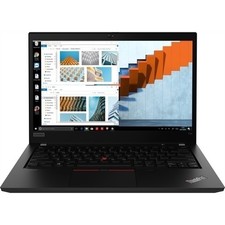
Lenovo Thinkpad T14 Gen 1 14.0" 16GB 512GB, BLACK
$285.99

Lenovo Legion 5 Gaming 15.1" WQXGA OLED 165Hz Core i9-14900HX 16GB 1TB RTX 5070
$1469.00

Lenovo Thinkpad T14 Gen 2i 14" 16GB 512GB, Black
$313.00

Lenovo ThinkPad T14 Gen 1 14" AMD Ryzen 5 16GB 256GB SSD
$219.99

Lenovo ThinkPad X13 Gen 1 i5-10310U 16GB 512GB SSD Touch Win 11 Pro Good
$222.99
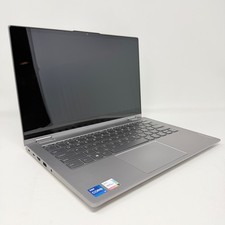
Lenovo Thinkbook 14s Yoga ITL 14” Core i7-1165G7, 16GB RAM, 512GB SSD Touch
$379.00
Lenovo ThinkPad T14 Gen 2 i5-1145G7 16GB 512GB SSD Touch Win11 Pro
$289.99