


 Reply With Quote
Perhaps "Caution: X-Screensaver" within knoppix-cheatcodes.txt may help you.


 Administrator Password
Hi,
I'm running Knoppix 7.0.3 from USB pendrive:
Through the DEFAULT settings under
--->System Tools --->System Settings --->Power - Brightness Settings
the screen gets locked after it is shut down.
The only way out from the locked screen was for me
'Ctrl + Alt +F1' and then typing "reboot"
To UNLOCK, the Administrator Password is needed.
I already posted HERE, assuming that a password for 'root' will do the trick,
but it doesn't.
What is the correct "Knoppix User (Administrator)" password?
Temporarily I can turn the Lock option OFF, to solve this inconvenience, but anyway, I would like to know the Admin password.
Perhaps "Caution: X-Screensaver" within knoppix-cheatcodes.txt may help you.
Thank you, Werner.
Yes, that helps.
I wonder, is this related to the Authentication issue which I posted HERE?
Sorry, I cannot find 'Software Update' in category 'System Tools'. Please try right-mouseclick to the menuentry you refer to and tell us, what you can see in the line "properties => command"
---> System Tools
---> Software Update
---> line "properties => command": gpk-update-viewer
Ok, I see gpk-update-viewer doesn't belong to Knoppix software selection. I doesn't try to install it - broken dependicies. Knoppix isn't designed for update or upgrade. You'll run in trouble if you do so.
Perhaps "sudo gpk-update-viewer" may help
So, out of curiosity, did I get this after I installed "gnome" via S.P.M.?Originally Posted by Werner P. Schulz

I thought I could add the GNOME desktop to the CD7.0.3 version (as I have it on the DVD7.0.2) without getting in trouble.
With V7.0.3 DVD you can get Gnome desktop by
Menu => Knoppix => "Chose/Restart KNOPPIX Desktop"
OK, I tried to make a USB drive from V7.0.3 DVD and ran into THIS .
 Posting Permissions

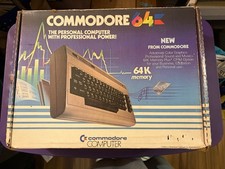
Commodore 64 Personal Computer w Power Supply-TV Hookup-Paperwork-Original Box
$139.00

Commodore VIC-20 Diagnostic Cartridge & Test Harness Set - USA seller
$39.99

Commodore OS Vision 3.0 | Bootable USB Install | Linux Gaming OS
$24.99
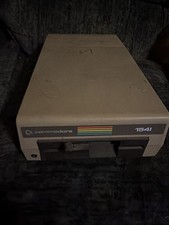
Partial Working/Nonworking Commodore 1541 5.25" Floppy Disk Drive
$50.00
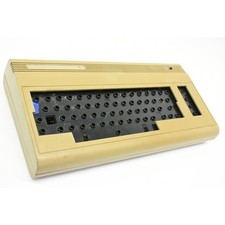
Vintage C64 Commodore 64 Computer Console For Parts or Repair - Basketcase Unit
$49.99
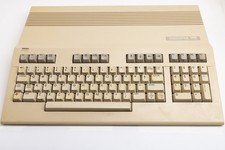
Vintage Commodore 128 Computer Powers On Not Tested with Power Supply
$169.99
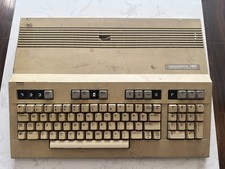
Commodore 128 Vintage Computer Not Working No Power Damage READ
$129.00

Commodore 64 Serial Cable 6PIN DIN 1541 1571 C64 128 C128 Disk Drive Printer USA
$10.49
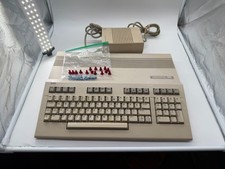
Commodore C128 Comp w/ Original Box TESTED & WORKING + Original & PETG Key Plung
$260.98

Commodore OS USB | Bootable LIVE + Install | The Ultimate Gaming Linux OS | NEW
$11.99