-
how to use kde as default
Hi,
I install the last version 7.0.3 En, the default WM is lxde, i want to use kde, I did find where to change, furthermore, it logins automaticaly, i want to do it thru a paaswod .
thanks for help
-
Senior Member
registered user
That can be achieved in a number of ways.
I think one reason you haven't got an answer earlier, is that you obviously haven't cared to search much before you ask here.
Did you look at the available cheatcodes? There is a list in the KNOPPIX directory, guess what that file is called? Cheatcode desktop may be what you are looking for.
Issue cat /proc/cmdline to see which are in use on your system right now.
Password may be simplest to do with non-graphical init, at least for a beginning I would use that: Did you search this forum? Check out this thread: http://knoppix.net/forum/threads/282...in-Knoppix-6.2
Then you are welcome back if something in the cheatcodes or recipes doesn't work.
 Posting Permissions
- You may not post new threads
- You may not post replies
- You may not post attachments
- You may not edit your posts
-
Forum Rules


Compressed Air Duster Rechargeable Computer Vacuum Cleaner for PC Keyboard Toys
$16.99

V3 Robot Vacuum and Mop Combo,Self-Charging,5000pa Strong Suction,WiFi/Alexa NIB
$82.00
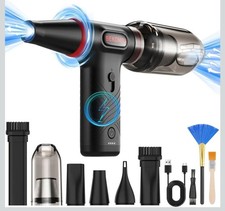
Compressed Air Duster 1 Button Adjustment 12000 RPM Air Blower Car Home Keyboard
$38.99

LEVOIT Cordless Vacuum Cleaner, Stick Vac with Tangle-Resistant Design, Up to...
$167.63

Mini Computer Vacuum USB Keyboard Cleaner PC Laptop Brush Dust Cleaning Kit NEW
$13.89

Cordless Electric Mini Air Duster Blower Vacuum Cleaner for PC Computer Car Home
$16.99
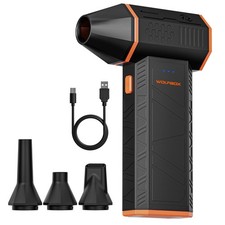
Compressed Air Duster Small Vacuum 130000RPM 2in1 Electric
$50.88
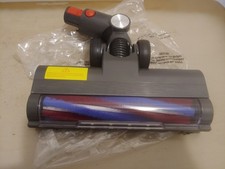
Powerffy Cordless Vacuum Cleaner N10 400W/30Kpa Power Nozzle Head Assembly.
$39.99

Cordless Air Duster & Vacuum Cleaner for Keyboard & PC Cleaning - 110000RPM Powe
$53.99
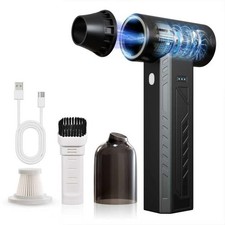
High-Power Cordless Air Duster 480,000 RPM - Rechargeable, Adjustable Speed, Tur
$127.99



 Reply With Quote