-
Same flash installer problem
I tried installing cd version of 7.0.3 on two Corsair Flash Voyager 8gb sticks and get the same error as Karibu: lseek:invalid arguement, etc. If I open gparted in the livecd after the failed installation, it does not detect the usb stick. If I reboot into a different linux distro, gparted detects the usb stick. I have successfully installed another linux distro on one of the usb sticks, so that indicates that the problem is not with the stick (?).
Any resolution to this problem?
-
New flash installer problem
Never able to install 7.0.3 on my flash drive, I downloaded 7.0.4CD release with anticipation that whatever had prevented installation was corrected. I started the flash installer, reformatted the flash drive, watched the installation proceed further than it had with 7.0.3, but then a new error message:
cp:reading 'KNOPPIX/KNOPPIX': input/output error
cp:failed to extend '/tmp/flash-knoppix.3213.tmpmount/KNOPPIX/KNOPPIX': input/output error
This happened on two different flash drives. I was able to install 6.7.1 on a flash drive, but not 7.0.3 or 7.0.4.
Can anyone help?
-
Senior Member
registered user
Have you been able to install another current Debian-family distro on the stick(s)? As is documented earlier in this thread, there are/have been problems with some library versions. Your 7.0.3 vs 7.0.4 experiences may indicate that this has been worked on, but is still not fixed.
-
Capricorny, thank you for your reply. I have not tried another Debian distro, but will do so today. With Knoppix I tried "Install Knoppix to flash disk" which I assumed was a special flash drive installer. Maybe that is not true and it simply targets a usb drive vs HD?
I did not note that I previously installed 6.7.1 successfully with the flash installer. Also, I was able to install 7.0.4 using Unetbootin, though it runs slower than the 6.7.1 installation. Would that be Unetbootin or a difference between 6.7.1 and 7.0.4?
-
Senior Member
registered user
I think the "flash install" without formatting actually is just writing a boot record plus copying the ordinary set of Knoppix system files. Eventuallly creating knoppix-data.img.
The libraries used in unetbootin are probably different from current standard Debian, so you could therefore use them for writing to the stick. When Knoppix boots, but runs slowly, that may indicate I/O problems, again from the current Debian utilities being used. So my guess is that you observe a 6.7.1/7.0.4-difference, unetbootin may not be involved at all.
-

Originally Posted by
Capricorny

Have you been able to install another current Debian-family distro on the stick(s)?
I tried installing Debian 6 to flash drive and during partitioning procedure had this message: Error informing the kernel about modification to partition /dev/sdd2 -- Device or resource busy. This means Linux won't know about any changes you made to /dev/sdd2 until you reboot -- so you shouldn't mount it or use it in any way before rebooting.
I am not experienced enough to know if this is part of the problem with "library versions" or something different.
Re slowness of 7.0.4 vs 6.7.1, seems like it might be CPU usage issue.
-
Senior Member
registered user
Originally Posted by
sredmon
Re slowness of 7.0.4 vs 6.7.1, seems like it might be CPU usage issue.
CPU usage upon device handling reflects the software runnig, be it kernel modules, libraries or application code. And my guess is that if you do something that ONLY engages kernel modules, like initial booting, you will seldom have any slowdown with newer kernel modules.
-
Originally Posted by
Capricorny
CPU usage upon device handling reflects the software runnig, be it kernel modules, libraries or application code.
I use current Firefox with several security/privacy add-ons, current Thunderbird with IMAP account, and Dropbox. That probably explains high CPU usage?
-
Senior Member
registered user
Originally Posted by
sredmon
I use current Firefox with several security/privacy add-ons, current Thunderbird with IMAP account, and Dropbox. That probably explains high CPU usage?
Sure it may - but with enough RAM, that should work out about the same regardless of installs. That is, unless there is an aggressive cache-writing/reading policy in place that effectively circumvents the Linux kernel's RAM-caching. In that case, we might se a double effect, both direct CPU usage and indirect through inefficient reading/writing. USB handling has traditionally tended to be rather CPU-intensive in any case.
-
Capricorny, thank you for your replies to my questions. At this point, I probably should start another thread on the slowness problem. Re my inability to use the flash installer to install 7.0.4 to a usb stick, I will go back to using 6.7.1 and hope the installation problem is solved by the next Knoppix release.
 Posting Permissions
- You may not post new threads
- You may not post replies
- You may not post attachments
- You may not edit your posts
-
Forum Rules


Intel Core i7-7700T 2.9GHz 8MB Socket LGA1151 Quad Core Processor SR339
$39.99
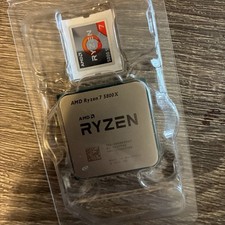
AMD Ryzen 7 5800X Desktop Processor (4.7GHz, 8 Cores, Socket AM4)
$169.99

Intel Core i7-9700 3.0 GHz 8 Core Processor
$85.00

Corsair RM750e 750W Fully Modular 80 Plus Gold ATX 3.1 PSU Certified Refurbished
$52.99

Intel i7-8700 Coffee Lake 3.2GHz 6-Core Max Turbo 4.6GHz Processor
$69.99

Intel 4th Gen Core i7-4790 SR1QF 3.60GHz (Turbo 4.00GHz) 8M 4-Core LGA-1150 CPU
$39.99
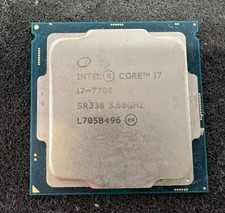
Intel 7th Gen Core i7-7700 3.6GHz 4 Core 8 Thread LGA1151 CPU SR338
$42.99

Intel SR3XE Core i5-8500 3.0GHz 9M Socket 1151 6-Core CPU Processor *Tested*
$32.99
Intel Core i5-14400T @ 1.5GHz SRN3N CPU Processor - Tested
$149.95
Core i3-10105F 4-Core Comet Lake Processor 3.70GHz 8GT/s 6MB LGA 1200 CPU Tray
$79.00



 Reply With Quote