-
Senior Member
registered user
Re: grabbing for grub

Originally Posted by
Joseph Schiller
Hi,
I did not have a chance to load Knoppix 3.2 yet.
Define 'load'- I'm thinking you mean 'boot the Knoppix installation'.
After install, reboot goes right into Grub> prompt and I am stuck. I think the problem consists of 3 parts, user error, I have not manually config'd the /etc/grub.conf,
Exactly- you need to tell grub which partition to boot. You've kind of lost me as to where you installed this drive though.
It's simple-
/dev/hda-Primary master
/dev/hdb-Primary slave
/dev/hdc-Secondary master
/dev/hdd-Secondary slave
and BIOS limitations. My /etc/grub.conf file consists of 2 lines:
root (hd0,1)
install --stage2=/boot/grub/stage2 /boot/grub/stage1 d (hd0) /boot /grub/stage2 0x8000 (hd0,1)/boot/grub/menu.lst
quit
All boot loaders do the same thing- there is the primary stage and the secondary stage- they just have their own way of writing it.
GRUB makes it a little more exciting too because it uses two naming conventions. /dev/hd? and similar to a SCSI BUS
0,0-1st hard drive, first partition
0,1-1st hard drive, second partition etc.
Another way to look at it- 0 is the raw device and 0,0 is a specific portion of the raw device.
The file was generated during install. I've been studying FAQs thus far, and I've not been able to fix that, yet. When I try the standard params "kernel /vmlinuz root=/dev/hda1 vga=791" I get error msg "Cannot mount selected partition."
Add the following to grub.conf but edit it to your own needs using the drive names as above. All you want GRUB to do is point to your installation of Knoppix because LILO is actually going to boot Knoppix not grub. You don't need to install GRUB to your Knoppix partition. You don't need to "run" GRUB either because it just reads its config file. Whatever you put in that file should be presented to you in a menu, if it doesn't work then so what, boot something else and change it.
title=Knoppix
makeactive
rootnoverify (hd1,2)
chainloader (hd1,2)+1
boot
Looking at the above I am booting Knoppix from /dev/hdb3 (second hard drive, 3rd partition).
I have found a work-around: I set BIOS to boot from CD-ROM,C,A first, then when it boots from ISOLINUX, when I get a prompt, I enter 'boot installed system' and after 3-5 min, I get to select language English, after probing hard disk and loading LVM module, I get an option to load installed system. So, I get to the login prompt eventually. But the end-users who will be using the machine eventually, are not Linux anybodies. I need to set it up painless for them.
Let's see what happens after you fix GRUB.
Another problem that I need to solve, is the monitor view port. When the sys loads all the startup files, the display is correctly positioned on the monitor, but when the boot-strap is finished, the desktop is off about 2" from the left margin. I'm using Nvidia drivers and 32 MB graphics card 'Albatron'. I've seen it on dinosaur graphics cards before. After adjusting monitor display, the boot-strap programs are off the screen to the left. I can't leave it up to the user to adjust every time they boot. I'm not sure which module is responsible for this. For sure, I did not have to monkey with settings while booting Knoppix 3.2.
There are really many possibilities for this. A 32M graphics card is more than capable but I don't know anything about an Albatron. Are you sure you're using the right drivers? Just because they're from nvidia doesn't mean they'll work. Have you plugged that video card name or better yet the chipset into G4L? Does SuSE work correctly with the card? Have you looked at any of the related configuration files? /etc/X11/XF86config-4 (in Knoppix anyway- don't know about SuSE).
 Posting Permissions
- You may not post new threads
- You may not post replies
- You may not post attachments
- You may not edit your posts
-
Forum Rules


USB 3.0 Flash Drive 32GB 64GB 128GB Memory Stick Thumb Stick Lot Pack
$826.09

TF/SD Card Adapter Camera Reader Android Type-c For iPhone17 Pro Max Plusm lot
$288.19
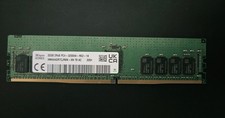
SK hynix 32GB PC4-25600 DDR4-3200 Memory - HMAA4GR7AJR8N-XN
$189.99
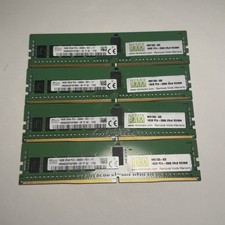
Lot of 4 16GB SK Hynix HMA82GR7AFR8N-VK 2RX8 DDR4 PC4-2666V RDIMM Server Memory
$374.99

Sandisk 16GB 32GB 64GB 128GB Cruzer Blade Flash Drive Memory Stick USB Lot Pack
$175.90
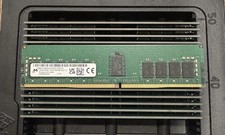
✅ MICRON MTA18ASF2G72PDZ-3G2R1 16GB 2Rx8 DDR4-3200 PC4-3200AA REG ECC Memory
$119.97

Sandisk 32GB 64GB 128GB 256GB Cruzer Glide Flash Drive USB 2.0 Memory Lot
$201.78

Kingston 32GB 64GB 128GB 256GB USB 3.0 Flash Drive Thumb Memory Stick Pen lot
$285.90
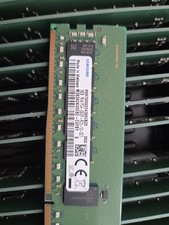
Lot Of 4 NEW SAMSUNG 16GB PC4-2933Y-RC2-12-DC1 Memory
$299.00

Micro SD Adapter To SD HC SDHC Memory Card Adapter Reader NEW
$1.39



 Reply With Quote