-
Administrator Password?!
I got my first Linux from a magazine... "No-Install Linux" as they call it...Knoppix KDE 3.1
Its great...really...but when I tried to access some features you need some kind of an "admin password"
Neither the box the CD came in nor the magazine mentioned any "password"
Does anyone know what the (default) password is for the "No install" Knoppix KDE 3.1 
 THNX
THNX
-
Senior Member
registered user
Did you read the documentation ?
From http://www.knoppix.net/docs/index.php/FaqUsing :
Q: What is the root password?
A: There is none; all passwords are locked by default. You can set it by going Knoppix Menu->Root Shell and typing "passwd", then enterting a root password, also there are several sections you can read dealing with this subject in KNOPPIX/README_Security.txt. You can also type "sudo su" or "sudo -s" in any console window, or use <ctr>-<alt>-F2 to get at the text console with already opened root shell.
P.s what was the name of the magazine? Do they have a website or editor email address?
-
Senior Member
registered user
Re: Administrator Password?!

Originally Posted by
TGWDNGHN
Does anyone know what the (default) password is for the "No install" Knoppix KDE 3.1
THNX
Yes and so will you after a search or a brief read of the documentation found right here on the site. Try it out- it's some of the best documentation out there.
-
Magazine
 I am so dumb... didn't see the Docs page
The Magazine is PC Utilities Magazine...Issue 34-Spring 2003
Its a European magazine... I found it here in America at Barnes & Noble for only (I think it was) $10 :P
-
Junior Member
registered user
no passwords is the default
Try clicking on K menu, then Knoppix, then Root Shell, at the prompt type passwd and hit [ENTER]. Type new password, re-type new password, and you should have "root" priviledges. They will disappear when you reboot, so you could try saving configs to a floppy, I believe 3.1 only has a floppy option w/o hdd install. Then next time you boot, type 'knoppix myconf=/mnt/floppy'. You can try CheapBytes, PO Box 2714, Lodi, CA 95241 to get 3.2 $4.99 + $5.00 S&H. It's got mo' options. They came through for me.
Joseph Schiller
Similar Threads
-
By bsa2002 in forum General Support
Replies: 2
Last Post: 06-13-2005, 05:06 PM
-
By abstar in forum MS Windows & New to Linux
Replies: 1
Last Post: 08-24-2004, 05:34 AM
-
By KnoppiXRuleZ in forum General Support
Replies: 5
Last Post: 03-02-2004, 10:16 AM
-
By Plip in forum General Support
Replies: 6
Last Post: 04-18-2003, 01:07 PM
-
By wcr3d in forum General Support
Replies: 4
Last Post: 12-23-2002, 03:31 PM
 Posting Permissions
- You may not post new threads
- You may not post replies
- You may not post attachments
- You may not edit your posts
-
Forum Rules


HGST HUA723030ALA640 3TB SATA 7200 RPM 3.5 in Enterprise HDD | 0F14044 (100%)
$45.00

Western Digital HUS726T4TAL5204 4TB 7.2K SAS 12Gb/s 3.5" 512e HDD NetApp X375A
$64.00

Toshiba 1TB 2.5" SATA HDD MQ01ABD100V 5400RPM 9.5mm Laptop Internal Hard Drive
$51.99

Dell ST6000NM0034 1HT27Z-150 NWCCG 6TB SAS 3.5 7.2K ENTERPRISE SERVER DRIVE
$68.99

Seagate ST6000NM0115 6TB 256MB 7200RPM 3.5" SATA 6.0Gb/s Enterprise Hard Drive
$159.99

Hitachi / HGST Travelstar HTS541010B7E610 1TB 2.5" SATA III HDD
$29.99

HGST HUS724040ALA640 4TB 7200 RPM SATA 3.5" Internal Desktop Drive 100% Health
$78.00
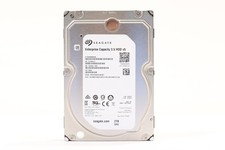
Seagate ST2000NM0045 2TB 3.5" 12Gb/s 128MB 7.2K RPM SAS HDD P/N: 1V4204-002
$24.99

HDD 3.5" SATA Hard Drive with Windows 10/Win 11 64x Installed Legacy
$35.00

HUS726060ALA640 HGST Ultrastar 6TB SATA 6Gbps 7.2K 3.5" Hard Drive OF21860
$129.99



 Reply With Quote