-
Administrator Password?!
I got my first Linux from a magazine... "No-Install Linux" as they call it...Knoppix KDE 3.1
Its great...really...but when I tried to access some features you need some kind of an "admin password"
Neither the box the CD came in nor the magazine mentioned any "password"
Does anyone know what the (default) password is for the "No install" Knoppix KDE 3.1 
 THNX
THNX
-
Senior Member
registered user
Did you read the documentation ?
From http://www.knoppix.net/docs/index.php/FaqUsing :
Q: What is the root password?
A: There is none; all passwords are locked by default. You can set it by going Knoppix Menu->Root Shell and typing "passwd", then enterting a root password, also there are several sections you can read dealing with this subject in KNOPPIX/README_Security.txt. You can also type "sudo su" or "sudo -s" in any console window, or use <ctr>-<alt>-F2 to get at the text console with already opened root shell.
P.s what was the name of the magazine? Do they have a website or editor email address?
-
Senior Member
registered user
Re: Administrator Password?!

Originally Posted by
TGWDNGHN
Does anyone know what the (default) password is for the "No install" Knoppix KDE 3.1
THNX
Yes and so will you after a search or a brief read of the documentation found right here on the site. Try it out- it's some of the best documentation out there.
-
Magazine
 I am so dumb... didn't see the Docs page
The Magazine is PC Utilities Magazine...Issue 34-Spring 2003
Its a European magazine... I found it here in America at Barnes & Noble for only (I think it was) $10 :P
-
Junior Member
registered user
no passwords is the default
Try clicking on K menu, then Knoppix, then Root Shell, at the prompt type passwd and hit [ENTER]. Type new password, re-type new password, and you should have "root" priviledges. They will disappear when you reboot, so you could try saving configs to a floppy, I believe 3.1 only has a floppy option w/o hdd install. Then next time you boot, type 'knoppix myconf=/mnt/floppy'. You can try CheapBytes, PO Box 2714, Lodi, CA 95241 to get 3.2 $4.99 + $5.00 S&H. It's got mo' options. They came through for me.
Joseph Schiller
Similar Threads
-
By bsa2002 in forum General Support
Replies: 2
Last Post: 06-13-2005, 05:06 PM
-
By abstar in forum MS Windows & New to Linux
Replies: 1
Last Post: 08-24-2004, 05:34 AM
-
By KnoppiXRuleZ in forum General Support
Replies: 5
Last Post: 03-02-2004, 10:16 AM
-
By Plip in forum General Support
Replies: 6
Last Post: 04-18-2003, 01:07 PM
-
By wcr3d in forum General Support
Replies: 4
Last Post: 12-23-2002, 03:31 PM
 Posting Permissions
- You may not post new threads
- You may not post replies
- You may not post attachments
- You may not edit your posts
-
Forum Rules

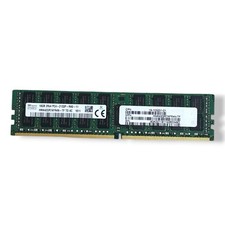
SK hynix 16GB 2Rx4 PC4-2133P-RA0-10 Server Memory Ram HMA42GR7MFR4N-TF
$57.99

Micro SD Adapter To SD HC SDHC Memory Card Adapter Reader NEW
$1.39

SMART(Micron)SafeStor 32GB(1X32GB) 1RX4 NN4-3200AA(DDR4) HPE Server Memory
$159.98
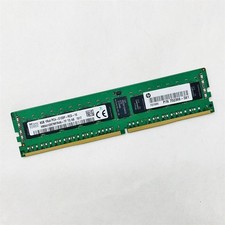
SK Hynix 8GB 1RX4 PC4-2133P-RC0-10 Registered Server RAM HMA41GR7MFR4N-TF TD AB
$34.99

Kingston 32GB 64GB 128GB 256GB USB 3.0 Flash Drive Thumb Memory Stick Pen lot
$285.90

USB 3.0 Flash Drive 32GB 64GB 128GB Memory Stick Thumb Stick Lot Pack
$826.09

Kingston 32GB 2Rx4 PC4-2400T-RB1-11 ECC REG Server Memory HP24D4R7D4MAM-32
$140.00
Lot 4 Samsung 64gb PC4-25600 2Rx4 DDR4-3200AA ECC RDIMM Reg Server Memory RAM
$2649.00
ADATA DDR4 RAM 2666MHZ 16GB (2x8) TESTED WORKING
$50.00
Synology 4GB ECC SOD DDR4 D4ES04-4G
$129.99



 Reply With Quote