

 Reply With Quote
Found a solution by creating a new partition and installing knoppix on the HDD.


Greetings. I'm trying to eject a Knoppix V7 DVD from the drive of a Dell Studio 1558. It lacks a manual eject and the Win7 install is busted (hence the knoppix DVD). I've got a USB drive with V6 on it, but when I try to boot from the USB, it starts, then switches to the DVD...meaning I can't eject the DVD.
Is there a boot setting that forces Knoppix to stay with the USB and not shift to the DVD?
For those thinking of other options, there's no BIOS setting to disable the optical drive and the only other way to get the disk out is by disassembling the laptop.
Thanks.
Found a solution by creating a new partition and installing knoppix on the HDD.
 Posting Permissions

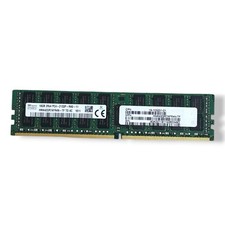
SK hynix 16GB 2Rx4 PC4-2133P-RA0-10 Server Memory Ram HMA42GR7MFR4N-TF
$57.99

1/ 10/ 100pcs USB 2.0 2GB, 4GB ,8GB ,16GB ,32GB ,64GB 128GB USB Flash Drives Lot
$448.20

Micro SD Adapter To SD HC SDHC Memory Card Adapter Reader NEW
$1.39
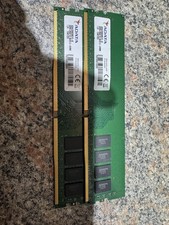
ADATA DDR4 RAM 2666MHZ 16GB (2x8) TESTED WORKING
$50.00

Kingston 32GB 64GB 128GB 256GB USB 3.0 Flash Drive Thumb Memory Stick Pen lot
$285.90

Kingston 32GB 2Rx4 PC4-2400T-RB1-11 ECC REG Server Memory HP24D4R7D4MAM-32
$140.00
Lot 4 Samsung 64gb PC4-25600 2Rx4 DDR4-3200AA ECC RDIMM Reg Server Memory RAM
$2649.00

A-Tech 8GB DDR3 1600 PC3-12800 Laptop SODIMM 204-Pin Memory RAM PC3L DDR3L 1x 8G
$21.68

SMART(Micron)SafeStor 32GB(1X32GB) 1RX4 NN4-3200AA(DDR4) HPE Server Memory
$159.98
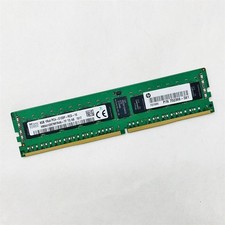
SK Hynix 8GB 1RX4 PC4-2133P-RC0-10 Registered Server RAM HMA41GR7MFR4N-TF TD AB
$34.99