-
Senior Member
registered user

Originally Posted by
Jeffery Mewtamer

... my biggest complaints ... hard drive installs. ...
Why should you try Hard drive install? You can plain install Debian and add remove packages to suit your needs.
Anyway, there is another method - boot from iso using grub and use a separate partition such as ext4 where you could store your persistent files. Ext4 because crash data can be recovered better in ext4. You could use this from a USB pendrive (flashdrive) or HDD. The choice is yours. I have a post which covers the HowTo part. Use the right Search Words and you shall find it.
Originally Posted by
Jeffery Mewtamer
... no support for installing to anything other than ReiserFS.
There is! We have ourselves and help others via forum. There is plenty information available. That way we remain independent rather than be offered silly proprietary packages on a platter which costs money when there are better ones that are available for free. And for other better, patented software, we have linux versions for nearly everything, except Adobe Flash, etc. FOSS has not built an IDE to build HTML5 alternative to Flash. But it is going to happen.
One of the most important things we need to learn is to judiciously use search keywords, and this Google has taught us. Once you have mastered that, you will find what you need.
Living with Linux for so many years, I can say that what members don't like is to spoon-feed and solve your problems for you, unless you try to figure it out for yourself. Sometimes, it can feel like horrible but as you learn you will find the pleasure of discovering something yourselves.
I could just have given you the link, but not doing it, I know with a little try you will find what you need.
Yes, it is apparently rude, but you still have relatively cheap proprietary software in the market maybe because of FOSS.
We need to ask the right questions, and we will be answered.
There are these things to learn (not immediately, of course, but gradually, according to your time and patience):
(1) How to run commands in CLI, and this is available in man pages, which is technical and difficult to understand for a lay user, but follows a structure accepted throughout the short history of computers. Anyway, you decide. Go to /usr/share/man and see the list of man pages. Whatever you have there, without the extension name, can be read with command "man name", e.g., "man man" for knowing about man pages, man gedit for reading about gedit, etc.
(2) Bash scripting tutorials would help you understand how to use commands together. You choose whichever you can understand. Search in the net for bash tutorials.
(3) https://wiki.debian.org/ read these wikis, when you find time. They will help.
(4) https://www.debian.org/doc/books, one of which would definitely help you, depending on your level of computing awareness.
 Posting Permissions
- You may not post new threads
- You may not post replies
- You may not post attachments
- You may not edit your posts
-
Forum Rules


(New) AMD Ryzen 7 5700X 8 Core 16 Thread AM4 Unlocked 3.4 GHz CPU OEM Tray
$169.99

Intel Core i9-9900K SRG19 3.60GHz 16MB 8-Core LGA1151 B Grade CPU Processor
$175.00
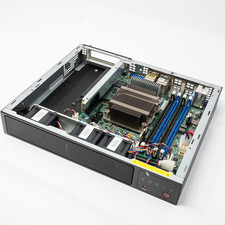
Supermicro M11SDV-8CT-LN4F Motherboard EPYC 3201 8-Core E300 Barebones Server
$725.00

DELL OPTIPLEX 3280 21.5" AIO Core i5 10500T 8GB 256GB NVMe Windows 11 -NO STAND
$179.99

Intel Xeon E5 - 2667V2 / SR19W 3.30GHz 25MB 8-Core CPU Socket LGA2011
$30.00

AMD Ryzen 5 PRO 4650GE 100-000000153 6-Core 3.30GHz 8MB AM4 CPU Processor
$59.99

AMD Ryzen Threadripper PRO 3945WX 12-Core 4.0GHz sWRX8 CPU NEW Tray Unlocked
$79.99

AMD FX 8350 8-CORE 4.00GHz CPU FD8350FRW8KHK SOCKET AM3+ *QTY
$39.99

AMD Ryzen 7 7700X 8-Core, 16-Thread Unlocked Desktop Processor
$250.00

Home Assistant Server | 8GB RAM | 128GB SSD | Intel i5 Quad-Core | Dell OptiPlex
$159.99



 Reply With Quote