

 Reply With Quote
Which version of Knoppix do you use?
How do you boot the Linux kernel?


Hi I was wondering what scripts were used to load the second part of knoppix (after already getting in to the kernel). My problem is i am able to get to the kernel but knoppix for some odd reason cannot mount the ISO file in to the folder "mnt-system". I have managed to mount the required ISO files in to the correct folder but I don't know how to tell the kernel to continue with the booting process. Any insight in the matter would be greatly appreciated.
Which version of Knoppix do you use?
How do you boot the Linux kernel?
Im using 6.7 CD. I put the ISO on to my USB and adding it to my GRUB loader. I do notice that as soon as the kernel boots it begins to scan my hard disks and usb drive (for the ISO) so it can mount it on to "mnt-system". Unfortunately due to my current configuration I am unable to place the ISO in the root directory (it is in a directory "/ISO"). Would it be possible to ethier re-run the scanning script after i have manully mounted the ISO or order the kernel toi scan the "/ISO" directory on "sdd1" (my USB)?
What happens if you mount the ISO image file as a loopback device at the mount point /mnt-system and press the key combination CTRL D or issue exit in order to terminate the shell?
Knoppix 7 has a new cheatcode 'bootfrom' that helps using an ISO image file as boot medium.
Okay I have gotten it to work. My mistake was that i did not notice that there was a mounting script that runs before and then looks for the mounted files NOT the ISO. So I made another partion on my USB and copyed over all the compressed files on to my second partion and now I and running KNOPPIX right off my USB. Hope this helps someone. Thanks for your help.
Shmuel6,
Why did you want to use the ISO from USB? Seems like a total waste of energy to me. If you start from the CD/DVD, eventually run the ISO in a virtual machine or use, as Klaus2008 mentions, the bootfrom cheatcode (at least in Knx7), you can then use the built-in Knoppix-to-flash function. That will get you started correctly running from USB media.

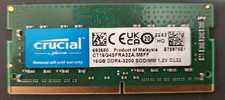
Crucial CT16G4SFRA32A.M8FF 16GB DDR4-3200 SO-DIMM Laptop Ram Memory
$54.00

RAMAXEL Lenovo 32GB LPDDR5X CAMM2 7500MHz Laptop RAM | UNTESTED
$445.00

Corsair Vengance DDR4 3200 MHz Sodimm 32 Giga (2*16) CMSX 16GX4M1A3200C22
$120.00

DDR4 Laptop RAM 4GB 8GB 16GB 32GB 2400 2666 3200 Samsung Hynix
$64.00

A-Tech 8GB DDR3 1600 PC3-12800 Laptop SODIMM 204-Pin Memory RAM PC3L DDR3L 1x 8G
$21.68

Crucial DDR3L 16GB 2 x 8GB 1600 MHz PC3L-12800 Laptop RAM Sodimm Memory 1.35V
$41.00
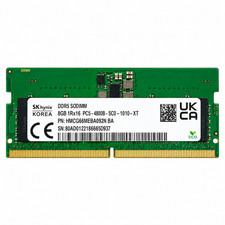
Hynix 8GB DDR5 4800MHz 1Rx16 PC5-38400 SODIMM Laptop Memory RAM HMCG66MEBSA092N
$74.99

Major Brand 8GB PC3L-12800 (DDR3-1600) 2Rx8 DDR3L SDRAM Desktop Memory
$12.99

Micron MTC40F2046S1RC48BA1 DDR5 64GB (1x64GB) 4800MHz RDIMM ECC Server Memory
$2599.99

Netac DDR4 32GB 16GB DDR4 3200MHz UDIMM C16 Desktop Internal Memory RAM Kit
$99.99

