-
Thank you for your patience.
On entering sudo mount dev/hda1 /mnt/hda1 I got "command not found".
I´ve bought a Linux book in the meantime (for Suse Linux 8.x) and delved into it a bit. Typing just "mount" at the prompt suggested that mnt/hda1 had been automatically mounted. I got a message that /dev/hda1 was already mounted
A further message said that according to mtab, /dev/hda1 was already mounted on /mnt/hda1.
The gvim command opened lilo.conf, but after I had made changes I could not save them: I got a message that lilo.conf was read only, use ! to override.
So I typed :w! and got the message E212: Cant open file for writing.
So what next?
Mount showed inter alia
/dev/hda1 on /mnt/hda1 type ext2 (ro, nosuid, nodev).
I assume ro means read only.
Can I edit lilo.conf by moving it to the ramdisk?
( I found under mount "/dev/shm on /ramdisk type tempfs (rw)")
Alternatively, might it be simpler to run knx-hdinstall again from the CD and overwrite the old installation, or would I have to remove to old one first (how?)
Roger
-
Senior Member
registered user

Originally Posted by
translator
Alternatively, might it be simpler to run knx-hdinstall again from the CD and overwrite the old installation, or would I have to remove to old one first (how?)
Roger
I think you could be right the install will simply overwrite the partitions that you select for swap and /. Write down your root password this time so you don't forget it and put it somewhere safe I do this with all my passwords.
With the gvim command did you use it with the sudo from the CD? It should work I've done it more than a few times, actually just did it last night when I moved my drive to a new machine and forgot to change lilo.
-
Hi Stephen,
I reinstalled Knoppix, but this time I got the root password ok and screwed up the user (knoppix) one. However, I discovered I could get knoppix back with the command passwd knoppix, when I could as root enter a new password for knoppix without having to know the old one.
Emboldened by this I tried adduser roger and gave him a password too, but when I tried to log him on I got
"There was an error setting up interprocess communications for KDE..
Could not read network connection list //DCOP server_bitch-0"
I ignored this, but then came "KDE is unable to start". So Roger is in limbo and my only nonroot user is knoppix, but I can live with that for a while.
Today I bought Suse Professional 8.1 for €20, which seemed to be the cheapest way of acquiring 950 pages of manuals. Even if I do not instal Suse in parallel or on another machine yet.
I´ll get back to you later about gvim.
May the Suse be with you. :P
Roger
-
Senior Member
registered user
Good to hear you got it going. For the user Roger as root in a console try rm -rf /home/roger/.kde and then try to login kde should hopefully recreate the settings stored in the directroy. Good idea with the suse just keep pluging at it you will get the hang of it eventually read as much as you can even if it does not seem to apply you never know where you'll find that bit of info you need.
Bit off topic but I just noticed I can see the euro sign must have been the new KDE I'm running I've tried more than a few times to get it never succeded till now. 
Similar Threads
-
By trav618 in forum General Support
Replies: 5
Last Post: 08-25-2004, 03:54 AM
-
By jimbo62 in forum General Support
Replies: 1
Last Post: 08-15-2004, 02:28 AM
-
By metalfan in forum Laptops
Replies: 1
Last Post: 08-13-2004, 01:35 PM
-
By ovunque in forum General Support
Replies: 1
Last Post: 02-18-2004, 12:20 AM
-
By Tea_Fiend in forum General Support
Replies: 2
Last Post: 02-17-2004, 08:03 PM
 Posting Permissions
- You may not post new threads
- You may not post replies
- You may not post attachments
- You may not edit your posts
-
Forum Rules


TP-LINK TL-SG108 8-Port Gigabit Unmanaged Desktop Switch RJ-45 New in Box
$23.99

TP-Link 5-Port Gigabit Unmanaged Ethernet Switch Network Expansion TL-SG105
$19.95
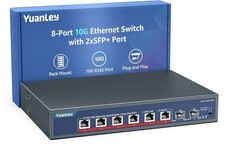
YuanLey 8-Port 10G Ethernet Switch, 6 x 10Gbps RJ45 Ports, 2X 10Gbe SFP+ Ports
$149.99

Cisco Catalyst 2960-48TT-L 48-Port Fast Ethernet Managed Rackmount Switch
$46.99

Linksys 8-Port Managed Gigabit PoE+ Switch 110W w/ 2 Uplink Gigabit - LGS310MPC
$49.02

TP-Link TL-SG2210P 10-Port Gigabit Smart Switch w/ 8-Port PoE+ NO AC SKU 25597
$39.99

Arista DCS-7010T-48-R 48P 1GbE 4P 10GbE SFP+ RA Switch with rack mounts
$69.00

NETGEAR 5-Port Gigabit Ethernet Unmanaged Switch (Gs305) - Desktop Quiet Fanless
$22.00

5Ports Gigabit Network Switch w/ 4 PoE+ Ports Total 52W each port 30W Plug&Play
$31.99

10-Port Gigabit PoE Network Switch with 8 PoE+ Ports with 2 Combo SFP Slots 125W
$39.99



 Reply With Quote