-
1. Chromium browser: "pages unresponsive". 2. Konqueror: "failed authenticty
check"
Hi. A new problem has just started in my Chromium browser for some reason.
I use Knoppix 7.0.2 on hard drive on Acer Aspire 5750 laptop.
When trying to visit a site, the rotating circle keeps rotating (in the
tab), then a Chromium message appears
"Following pages have become unresponsive. You can wait for them to become
responsive or kill them. Kill pages -OR- Wait". And a box shows the basic
website that you were trying to access.
Pressing "Wait" returns you to the ever rotating circle. Pressing "Kill pages"
produces a message "He's dead, Jim!".
The problem started shortly after I got wifi working. But Chromium WAS working
Ok for a while after I'd got wifi working. The problem occurs whether I'm using
wifi or an Ethernet cable.
When using Ethernet cable, I make sure that wifi is switched off (ie orange LED
is off by pressing Fn+F3 keys).
Is there any connection between the problem and me installing wifi in the
kernel? Why has Chromium just started exhibiting this prob?
As a temporary get-round, I tried Konqueror browser. It works but has a
separate problem of its own. Every time you visit a new site, you get the
message
"Server failed the authenticity check. The certificate is not signed by any
trusted certificate authority". But when you click on "Details", under
"Trusted?", it says "Yes".
I'd be most grateful for a solution to both problems, but if you have an answer
just to Chromium, that would be fine. Thanks.
(Unfortunately I'm finding that having Knoppix is like having a car, but every
journey I take, I'm having to get out and mend something in the engine.)
John
-
Senior Member
registered user
Greetings, John!
I would suggest that you open a terminal and issue The next step would be to try to open a webpage that gives you the error message you mentioned above. Maybe you will get some additional information in the terminal.
-

Originally Posted by
klaus2008

I would suggest that you open a terminal and issue
Hi klaus2008
You're very clever.
I issued "Chromium" at terminal. It starts at my home page which is
www.google.com/webhp?complete=0
(I use this URL all the time. It simply takes you to google, but you don't get
the annoying drop-down selection list as you type your search string.)
Back to the plot. The cursor didn't automatically sit in search box as it
normally does. I chose not to enter a search string, and just waited. After
about a minute, the following message appeared:
"Following pages have become unresponsive. You can wait for them to become
responsive or kill them. Kill pages -OR- Wait".
I clicked "Kill pages", then message/page "He's dead, Jim!" appears.
So i exited Chromium, which returned me to terminal. I got the following output:
knoppix@Microknoppix:~$ chromium
[5:5:3444306844:ERROR:nss_util.cc(459)] Error initializing NSS without a
persistent database: libsoftokn3.so: cannot open shared object file: Permission
denied
INFO: Lightspark version 0.6.0.1 Copyright 2009-2012 Alessandro Pignotti and
others
NOT_IMPLEMENTED: The SDL audio plugin does only support one concurrent stream!
INFO: A plugin was found. Adding it to the list.
INFO: The plugin SDL plugin was added with backend: sdl
INFO: A plugin was found. Adding it to the list.
INFO: The plugin Pulse plugin output only was added with backend: pulseaudio
INFO: the selected backend is: pulseaudio
INFO: get_plugin: pulseaudio
INFO: RenderThread this=0xb7a4e200
INFO: Creating input thread
INFO: Newstream for
http://static.googleusercontent.com/...lcp/www.google.
com/en//logos/swf/startrek12.swf
INFO: NET: Downloading to memory
INFO: Compressed SWF file: Version 9
INFO: FrameRate 24
INFO: Creating VM
INFO: Download complete
http://static.googleusercontent.com/...lcp/www.google.
com/en//logos/swf/startrek12.swf
INFO: SWF Metadata:
format: application/x-shockwave-flash
title: Adobe Flex 3 Application
description: http://www.adobe.com/products/flex
publisher: unknown
creator: unknown
language: EN
date: Sep 6, 2012
INFO: MaxRecursionDepth: 1000, ScriptTimeoutSeconds: 60
INFO: SWF Info:
ProductId: 3
Edition: 6
Version: 3.2.0.3958
CompileTime: 0
NOT_IMPLEMENTED: Unsupported tag type 56
NOT_IMPLEMENTED: Unimplemented Tag 56
INFO: NS_DestroyPluginInstance 0xb79c1cc0
INFO: ~nsPluginInstance 0xb79c1cc0
knoppix@Microknoppix:~$
I don't understand the output of course because I'm VERY new to Linux.
(As a side point, does some of the output suggest that google is doing some kind
of clandestine downloading?
You see, i've transferred from Microsoft Windows to Linux because i don't like
the fact that Windows software downloads and uploads information to/from my
hard-drive as and when it feels like it (whenever i'm connected to the
internet).)
I can tell that you're quite an expert. Is there anything in the above output
that tells you what's causing my "unresponsive pages" problem?
WHAT'S ODD TO ME is that I don't recall doing anything in Chromium or Knoppix
that may have caused this Chromium problem to start. Having said that, while i
was carrying out your fine instructions to get wifi to work, i did accidentally
REPEAT one of the terminal commands you gave me. So i don't know if that has
done something dodgey.
Many thanks for your kind help with this. John.
-
Senior Member
registered user
The information the Chromium browser provided in the terminal does not seem to be sufficient to reproduce the error on your system. The SWF file shows a blue area in the web browser.
There are users reporting on a similar error concerning older versions of the Chromium browser.
Usually I would suggest that you upgrade some packages, but this could be difficult because you have already installed new software packages. On a fresh install of Knoppix 7.0.2 DVD I would issue the following commands. Some of these commands a intended to avoid the removal of base packages you might need in the future.
Code:
sudo apt-get update
sudo apt-get install libnss3
sudo apt-get install gnome-orca
sudo apt-get install grdesktop
sudo apt-get install gnome-dictionary
sudo apt-get install chromium
sudo apt-get install iceweasel
sudo apt-get install libprotobuf7
I hope this will help to improve your system. I do not expect that it will be worse since you cannot use the Chromium browser at the moment.
-
Thanks klaus2008 for #4. For some reason, Chromium does work some of the
time, so for now I'll hold off issuing your kind apt-get commands at #4.
In the meantime, can you think of a solution to my problem with Konqueror at
#1? John.
-
Senior Member
registered user
Do you have a web page I could try out with Konqueror?
 Posting Permissions
- You may not post new threads
- You may not post replies
- You may not post attachments
- You may not edit your posts
-
Forum Rules


USB 3.0 Flash Drive 32GB 64GB 128GB Memory Stick Thumb Stick Lot Pack
$826.09

Microsoft Office 2021 Pro Plus USB for 1PC Windows 10 & 11
$62.50

Micron 32GB 1x32GB DDR5 5600 CL46 ECC Unbuffered SO-DIMM MTC20C2085S1TC56BD1
$399.00

TF/SD Card Adapter Camera Reader Android Type-c For iPhone17 Pro Max Plusm lot
$573.98

128GB (4x32GB) SK hynix DDR4 PC4-2666V RDIMM ECC Server Ram HMA84GR7CJR4N-VK
$799.00
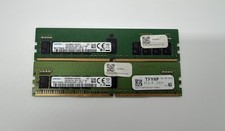
32GB KIT SAMSUNG M393A2K43CB2-CVFC0 PC4-2933Y-RE2-12-DC1/MH1 RDIMM ECC 16GBX2
$195.00
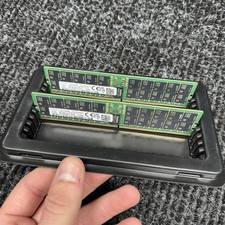
Lot Of 2 Samsung 64GB (1x64GB) 2Rx4 PC5-4800B DDR5 Ram ECC Server Memory Tested
$4389.99

A-Tech 8GB DDR3 1600 PC3-12800 Laptop SODIMM 204-Pin Memory RAM PC3L DDR3L 1x 8G
$21.68
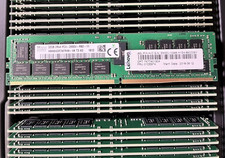
HYNIX HMA84GR7AFR4N-VK 32GB PC4-2666V 2RX4 RDIMM MEMORY HMA84GR7AFR4N-VK
$189.99

Wholesale 5/10/100PCS 1GB 2GB 4GB 8GB 16GB 32GB USB 2.0 Flash Drive Memory Stick
$378.00



 Reply With Quote