-
Senior Member
registered user
BCM4312 & 4322 intermittence description & work-around for Knoppix 7
.
After three years of faithful service, the wifi in my Dell 1545 Laptop
began being intermittently troublesome. Left on-line for a few hours
unattended, I would find the wifi not only dead, but whatever it finds
in knoppix-data.img would not allow me to get re-connected. I had to
re-establish persistent store to get on-line again.
I went to Dell's on-line store, gave them my product ID and found there
was a re-furbished wifi for $22 plus tax with free shipping. On this
same site I was able to download an illustrated owner's manual which
spelled-out how I might easily remove and replace the wifi. The $22
replacement arrived in a few days and I was able to do the physical part
of the replacement in mere minutes.
The wifi provided was not an exact replacement, but a slight 'upgrade'
from a/b/g to a/b/g/n. The original and the replacement have different
part numbers, but seem to be operationally interchangeable. The original
was a BCM4312, Dell part nr DW-1397; the replacement a BCM4322, DW-1510.
Both Windows 7 and Knoppix 7 easily found and correctly installed drivers.
The Windows 7 driver installation said, incorrectly, that its install
was 'unsuccessful'.
I was pleased with my diagnosis and my bargain and my successful repair.
For a while, that is. Guess what, the replacement wifi pretty much
matches the original, including my complaint of infrequent intermittence.
So, here's a more complete statement of the intermittence. Very
infrequenly, if I leave my CD-size LiveUSB on-line with no keyboard
activity I may return and find the wifi connection gone, AND the
driver unloaded from the Linux kernel. The connection does not re-
establish itself, even on reboot, without some help.
There are two simple work-arounds that solve my problem for all practical
purposes. First, if I notice a dropped connection, I can get back on-line,
without rebooting, with sudo modprobe b43. Second, I might double-down
by adding, as root, b43 to my /etc/modules file to make sure b43 gets
loaded at boot.
Both the original and the replacement wifis are among those which
the b43/linuxwireless.org folks say work both with b43 and wl drivers.
In Knoppix 6.7.1, with the original wifi I never saw this intermittence
with either driver; however, my experience was mostly with the wl driver,
I only used the b43 driver for a short time before the advent of Knoppix 7.
In Knoppix 7, there is currently only a b43 option. I've seen the
intermittence in both the original and replacement wifis.
 Posting Permissions
- You may not post new threads
- You may not post replies
- You may not post attachments
- You may not edit your posts
-
Forum Rules


16GB KIT (2x8GB) DDR3 Gamer Desktop RAM PC3 MIXED BRANDS VIPER VENGEANCE FURY
$10.00

Netac DDR4 32GB 16GB DDR4 3200MHz UDIMM C16 Desktop Internal Memory RAM Kit
$99.99
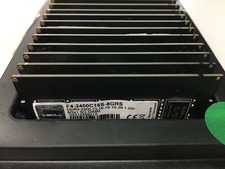
A LOT of 20 RAM Sticks G.SKILL Ripjaws 8GB DDR4 F4-2400C16S-8GRS - Test Passed.
$1100.00

Major Brand 16GB (2x8GB) PC3-12800U DDR3-1600MHz DDR3-12800 DESKTOP RAM NON-ECC
$29.99

A-Tech 8GB DDR3 1600 PC3-12800 Laptop SODIMM 204-Pin Memory RAM PC3L DDR3L 1x 8G
$21.68

G.SKILL FLARE X5 64GB (2 x 32GB) 6000 MT/s DDR5 (AMD EXPO + INTEL XMP) *CL30*
$785.00

DDR4 Laptop RAM 4GB 8GB 16GB 32GB 2400 2666 3200 Samsung Hynix
$66.00
Lot 500 SK hynix 16GB 2Rx8 PC4-23400 DDR4-2933Y ECC Registered Server Memory RAM
$47988.00

Corsair Vengeance DDR3 8GB 16GB 32GB 1866MHz PC3-14900 Desktop RAM Memory DIMM
$43.00

Micron 32GB 1x32GB DDR5 5600 CL46 ECC Unbuffered SO-DIMM MTC20C2085S1TC56BD1
$399.00



 Reply With Quote