-
How do I add my own program/icon to desktop?
Hi. I'd like to add a new icon to lxde desktop, that has associated with it the
name of a shell script (that i've written) or single command, so that when i
double-click the icon, the script/command executes.
Could you tell me how to do it please? I've looked in knoppix wiki but can't see
it covered.
I guess this kind of question would be covered by a Knoppix manual. Where would
I find such an online manual or book i can buy please? Also, I know that there
is documentation within knoppix itself, like "KDE Help Centre", but it doesn't
seem to contain instructions for doing things in the desktop environment, like
this query that i have here.
Thanks, John.
 Posting Permissions
- You may not post new threads
- You may not post replies
- You may not post attachments
- You may not edit your posts
-
Forum Rules


OPNsense pfSense 8-Core Atom C3758 2.2GHz 8GB DDR4 64GB SSD 8x NIC QAT AES VPN
$145.00

pfSense Firewall 16-Core Atom C3958 8GB DDR4 RAM 64GB SSD 8x 1Gbe QAT AES-NI VPN
$184.99

OPNsense pfSense 16-Core Atom C3958 16GB ECC RAM 512GB SSD 8-Port QAT AES-NI VPN
$258.00

SonicWall TZ280 Firewall 03-SSC-6933 Advanced Edition 3YR NEW SEALED
$999.99

Fortinet FortiGate 60F FG-60F P24286-03-13 Network Firewall Security Appliance
$155.75

Palo Alto PA-220 Next-Gen Firewall 520-000309-00J
$40.00

Firewalla Gold Pro - 10 Gbps Cyber Security Firewall
$680.00

OPNsense Firewall VPN QAT 8-Core Atom C3758 2.20GHz 16GB DDR4 128GB SSD 8xNIC
$175.00
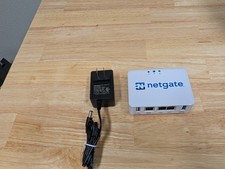
Netgate SG-1100 firewall
$140.00

Zero Trace Pen: All-in-one Tor Network Anonymous Drive + Cryptocurrency Wallet
$147.00



 Reply With Quote