-
How do I add my own program/icon to desktop?
Hi. I'd like to add a new icon to lxde desktop, that has associated with it the
name of a shell script (that i've written) or single command, so that when i
double-click the icon, the script/command executes.
Could you tell me how to do it please? I've looked in knoppix wiki but can't see
it covered.
I guess this kind of question would be covered by a Knoppix manual. Where would
I find such an online manual or book i can buy please? Also, I know that there
is documentation within knoppix itself, like "KDE Help Centre", but it doesn't
seem to contain instructions for doing things in the desktop environment, like
this query that i have here.
Thanks, John.
-
Hello John,
you can create a ".desktop" file like for example:
/home/knoppix/Desktop/kn-what.desktop
Code:
[Desktop Entry]
Encoding=UTF-8
Type=Application
Name=my Installation
Name[de]=aktuelle Installation
Comment=Lists of all programms and libraries
Comment[de]=Listen aller Programme und Libraries
Icon=accessories-dictionary
Exec=/etc/alternatives/x-terminal-emulator --geometry=100x24 -e /usr/bin/kn-what
Terminal=false
StartupNotify=true
Categories=System;
Write your command at "Exec=.." and for "Icon=.." select an icon from '/usr/share/icons/hicolor/'. You'll find many examples at '/usr/share/applications'.
Also have a look at https://wiki.archlinux.org/index.php/LXDE
=> Autostart Programs
 Posting Permissions
- You may not post new threads
- You may not post replies
- You may not post attachments
- You may not edit your posts
-
Forum Rules

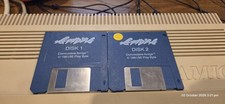
Apidya By Blue Byte ~ Original Amiga Game
$90.10

Microbotics Starboard 2MB + SCSI Sidecar for Amiga 1000 Vintage Computer READ
$329.00

RGB2HDMI Amiga 500 UltraLong (Accelerator Friendly) HDMI Games, non-RTG A500
$50.00

Amiga Model 1080 RGB color CRT monitor - Parts Or Repair - Doesn’t Power On
$100.00

Amiga Emplant Emulator Card For Commodore Amiga 2000 4000 3000
$249.00

(10) BOXED Games for Commodore Amiga 500 600 1000 1200 2000 3000(T) 4000(T)
$329.98

Commodore Amiga 4000 Motherboard Rev B - untested
$225.00
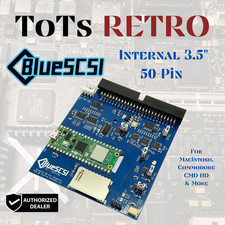
BlueSCSI v2 Internal 50-pin 3.5" SCSI Drive ,Wi-Fi,For Macintosh, Amiga, PC
$52.99
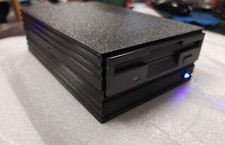
External fully assembled GreaseWeazle 3.5 inch Floppy Drive
$135.00

ZuluSCSI Compact RP2040 - an affordable SCSI-2 (and 1) emulator w/ USB-C
$45.00



 Reply With Quote