-
How do I add my own program/icon to desktop?
Hi. I'd like to add a new icon to lxde desktop, that has associated with it the
name of a shell script (that i've written) or single command, so that when i
double-click the icon, the script/command executes.
Could you tell me how to do it please? I've looked in knoppix wiki but can't see
it covered.
I guess this kind of question would be covered by a Knoppix manual. Where would
I find such an online manual or book i can buy please? Also, I know that there
is documentation within knoppix itself, like "KDE Help Centre", but it doesn't
seem to contain instructions for doing things in the desktop environment, like
this query that i have here.
Thanks, John.
 Posting Permissions
- You may not post new threads
- You may not post replies
- You may not post attachments
- You may not edit your posts
-
Forum Rules


Crucial BX500 1TB SATA III 2.5" Internal SSD (CT1000BX500SSD1)
$79.00

1TB SanDisk Extreme Portable SSD (Recertified) - A196-SDSSDE61-1T00
$150.99

NEW 2026 SGIN 18.5" Laptop Windows 11 PRO Intel N5095 16GB DDR4 1024GB SSD
$444.99
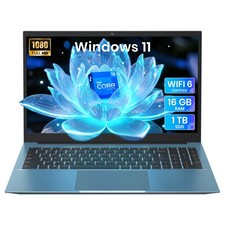
2026 NEW SGIN 15.6" Laptop Win11 Intel i3 16GB RAM 1TB SSD Wi-Fi 6 RJ45 USB-C
$302.99

Acer Aspire 14" AI Copilot+PC Laptop Core Ultra 5 226V Gen 4 ARC 16GB 1TB Refurb
$490.58

SAMSUNG T7 Portable SSD 1TB Indigo Blue USB 3.2 Gen2 External MU-PC1T0H/AM
$159.99

Acer Predator Helios Neo 16S AI 16" i9 275HX 2S RTX 5070 Ti 32GB 1TB SSD Refurb
$1775.56
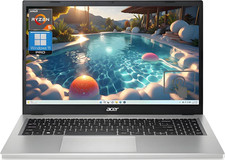
Acer Aspire 3 15.6" Ryzen 5 7520U 7000 Ser 16GB 1TB SSD Radeon Graphics Refurb
$390.24
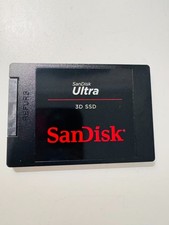
SanDisk Ultra 3D SSD 1TB, SDSSDH3 2.5" SSD Drive SATA III 6GB/S (SDSSDH3-1T02)
$138.56

Dell Latitude 15.6” FHD Core i5 Laptop PC Up To 32GB RAM 1TB SSD Windows 11
$364.42



 Reply With Quote