-
Headphone sound cut off (?) when connected to audio-in of TV
Hi
I have an Acer Aspire 5750 laptop running knoppix 7.0.2 from hard disk. I'd
like to connect the headphones output from the Acer to my old tv to get louder
sound. The sound does come out of the headphones, but when i connect the same
headphone socket to the tv, there is no sound out of the tv (i've checked that
the tv volume is up & that it's not muted).
To get straight to the point, is the Acer's sound-card intelligent, and does it
CUT the headphone output off if it is connected to something that it doesn't
think is suitable? If so, what Linux sound software controls the soundcard? and
does it have an option to forcefully enable the headphone output? Because I'm
fairly sure that there's nothing unusual about the tv's audio input.
Or is there a soundcard driver (and/or program) for my particular card that i
need to download from somewhere, in order to forcefully enable the headphone
output?
alsamixer lists what appears to be my sound card ("HDA Intel PCH") but i don't
know how to actually look up what my card IS in knoppix to check this.
The following are the details of how i connected to the tv (a Goodmans TVC142T):
I've used 2 methods to connect the Acer headphones output jack-socket to the
tv. Both methods use the same lead, which has a mini stereo jack plug on one
end, and on the other end 2 phono plugs (left & right). In both methods, the
stereo jack is plugged into the Acer headphones socket.
In BOTH of the following methods, NO SOUND comes out of the tv.
Method 1: I plug just ONE of the two phono plugs into the single audio-in
phono-socket of the front of the tv. I've tried both phono plugs separately.
Method 2: I have a simple adapter which is basically a SCART plug with 3 phono
sockets on the back (one for video, one for left audio, one for right audio). I
plug both the left and right phono plugs (from the lead coming from the Acer)
into the appropriate Left and Right sockets on the back of the adapter, then
plug the adaptor into the SCART socket of the tv.
In both above methods i set the tv to the AUX channel. In alsamixer i checked
that the headphone output was up (at max actually). I even lowered it from
max, in case the output was TOO high and possibly causing the soundcard to cut
off the headphone output.
In the past i have successfully played sound on the tv (from a karaoke player)
through the tv SCART socket (using the adaptor mentioned).
(The tv doesn't have hdmi or vga sockets, so i can't use those methods to
connect to it.)
I then connected the headphone socket of the laptop to my stereo hifi (its
2-phono input) using the same lead as above. This time, the sound DID COME OUT
of the hifi (from the laptop).
This could imply that there is something wrong with the tv, but i can't help
thinking that the laptop is just switching the headphone output off when it
connects to the tv. For convenience reasons, i need to connect to the tv and not
the hifi, for the sound.
I checked that the volume on the laptop was not muted.
Any help would be most welcome.
John
 Posting Permissions
- You may not post new threads
- You may not post replies
- You may not post attachments
- You may not edit your posts
-
Forum Rules


Vintage 1998 iMac G3 M4984 Mac OS + Keyboard Working but Needs Some Repair Read
$295.00

VINTAGE Apple Mac OS X Computer Monitor
$250.00

Vintage Apple iMac G4 15" Lamp 700MHz 512MB Mac OS X 10.4.6 W/ Pro Speakers
$300.00

Apple Power Macintosh PowerPC 7300/200 VTG w Keyboard Mouse Storage Drive Read
$199.99

185--Sonnet Crescendo G3 PPCG3-375-5-K-06 G3 Add-On Card for Vintage Mac
$90.00

Apple Macintosh Plus 1MB M0001A Vintage Computer **TURNS ON **
$99.99

Apple Macintosh Plus 1MB M0001A Vintage Computer Boots Up / Floppy Disk Stuck
$99.99
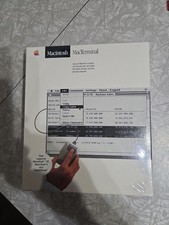
Macintosh MacTerminal M0521 Version 1.0. Vintage Apple software 1984 Sealed
$129.99
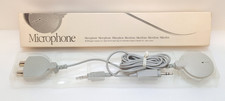
Apple Mac Microphone Vintage 1990 Model 590-0618-A Original Box Japan AUX Gray
$14.95

Vintage Apple PowerBook 15” G4 “Aluminum” (1.25GHz/2gb/150gb/Tiger) 2
$109.99



 Reply With Quote