-
To ram
Can how much of Knoppix is booted to ram be changed? Even though its a live a cd I assume some parts are loaded to ram and others are retrieved from the dvd or cd as needed. A pc with 4Gb or more of ram could handle the complete OS? Maybe? Any ideas on that?
Thanks.
-
Senior Member
registered user
Using a fast USB drive, there is, in my experience, not very much difference between resident programs and programs loaded from the compressed image. This has to do with the development of a lot of factors, making the USB work better and better with time. My personal opinion is that CD/DVD+ "toram" option is simply the wrong way to go. But with 64-bits kernel and 8GB RAM, loading the whole image to ram should work - taking some time, though...
Trying to load parts of the compressed image isn't worthwhile, I think. I strongly suggest people comtemplating more "manual" RAM management - IMHO the combined work of Knoppix and the Linux kernel works very well in this respect try fast USB devices first, USB3 makes a lot of difference too.
-
I think this may be an IOPS issue. Since my clients boot via pxe, the performance of them is based upon the performance of my tftpboot server.
-
Senior Member
registered user
Loading the whole compressed image into RAM may in some cases actually degrade performance, as the Linux kernel by default applies a very active strategy caching programs in available free memory. Also, persistent store is not compressed, so with, say 3-4GB of that loaded into memory in addition to the compressed image, quite a lot of memory may be occupied.
 Posting Permissions
- You may not post new threads
- You may not post replies
- You may not post attachments
- You may not edit your posts
-
Forum Rules


Lenovo ThinkStation P520c Intel Xeon W-2133 6-Core 3.60GHz -NO RAM/ HDD/ GPU/ OS
$127.54
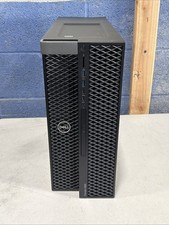
Dell Precision 5820 Computer WorkStation PC - Intel Xeon W-2123 - 16GB Ram - DVD
$199.00

Intel Xeon Phi 5110P 60-Core 1.053GHz Coprocessor
$50.00
Dell Precision T7820 Dual Xeon 4214R 48GB RAM 512GB + 1TB Quadro P400 Win 11
$699.00

Dell Precision T5820 Workstation 3.70GHz W-2135 No RAM/ GPU/ HDD/ OS
$179.98

Intel Xeon E5-2680 V2 2.8GHz 10-Core 25MB 8GT/s SR1A6 LGA2011 B Grade Server CPU
$7.95

Intel Xeon E5-2699 V4 2.20GHz 55M 22-CORES LGA2011-3 Server Processor 145W SR2JS
$84.49

Matched Pair _ Intel Xeon E5-2698 V4 2.2GHz 20-Core Processor CPU LGA2011 SR2JW
$94.99

Dell Precision Tower 7810 Xeon E5-2630 v3 @ 2.40GHz , 32GB Ram, NO HDD, NO OS
$239.99

HP Proliant MicroServer Gen 8 2.23GHz Xeon 16GB RAM NO SSD
$249.99



 Reply With Quote