-
mount hibernated partition
Hi everybody,
I'm new in using Knoppix Live but I found it great, especially for rescue mission to recover file on windows stuck systems.
Now I'm trying to save out files from an hdd with Win7 32-bit using knoppix 6.7 live from cd
but, when I try to open sda2 on knoppix link...it appears the message:
"Error mounting: mount exited with exit code 1:helper failed with:
Hibernared non-system partition, refused to mount. etc...etc..."
so i open the LXTerminal and write the recommended line:
"mount -t ntfs-3g -o remove_hiberfile /dev/sda2 /media/sda2"
and it says "only root can do that"
the PC i'm working on is stucked, his windows version doesn't work anyway, in Safe Mode or other ways is stucked on windows logo.
I've only to save some photos from hdd and then I'll format and reinstall windows 7...
I think that last time pc was working it has automatically hibernated himself, maybe when I've close the screen.
I don't know how to come out from this situation; how can I delete the hibernation status without starting windows? maybe it's working on only command line windows way.
thanks everybody,
Alberto
-
Senior Member
registered user
Greetings, Alberto!
It might be a good idea to use the latest version (7.0.4) if possible.
I've only to save some photos from hdd
I would try photorec first.
so i open the LXTerminal and write the recommended line:
"mount -t ntfs-3g -o remove_hiberfile /dev/sda2 /media/sda2"
and it says "only root can do that"
If you really want to issue a command as root you can write 'sudo' before that command.
Code:
sudo mount -t ntfs-3g -o remove_hiberfile /dev/sda2 /media/sda2
I think that you might destroy some useful data on that partition. Therefore I would create a backup of that partition before it is manipulated by an irreversible process.
 Posting Permissions
- You may not post new threads
- You may not post replies
- You may not post attachments
- You may not edit your posts
-
Forum Rules


Fujinet 1.7.1 Atari 400 800 800XL 130XE 65XE XEGS Assembled, Tested, Working
$99.99

Atari 400 / 800 Computer Memory Module 16K RAM PCB CX853 - Works Perfectly
$18.95
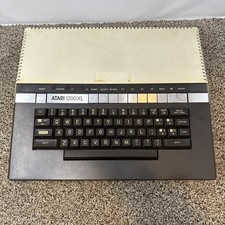
Atari 1200XL Computer Game Console Vintage Rare FOR PARTS OR REPAIR READ
$270.00

Atari 400 Home Computer System includes Power Cord G2U
$159.99
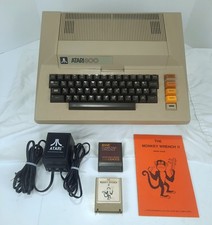
Atari 800 48K 8-bit Computer System With Power Supply & Extras Tested & Working
$354.98

Atari 1200 XL home computer with original owners guide and power supply power on
$255.00
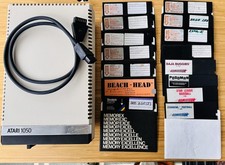
Vintage Atari 1050 Disk Drive w/ SIO Cable & 32 Games/Programs - UNTESTED
$67.76
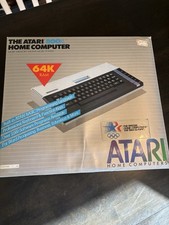
Atari 800XL Home Computer 64K RAM in Original Box 1984 Olympic Edition Untested
$149.99

GreaseWeazle v4 board USB floppy drive adapter Retro All Formats
$35.00

DEFECTIVE Atari 810 Vintage Computer Disk Drive powers on Unit Only Boo G3D
$49.29



 Reply With Quote