-
When boot procedure stops-ways to solve the problem
Hallo experts here in knoppix.net! The boot procedure is certainly not a trivial matter even in normal HDD-Installations either we use Windows or Linux and a detailed knowledge will only be found when meeting IT-specialists.
Nevertheless.In May 2011 I started my first HDD-Installation with Knoppix 6.4.3 .Unfortunately this Installation only worked in a correct way for a limited number of PC-starts and then began to stop booting after hardware recignition and started shutdown. Klaus 2008 in the German knoppixforum gave me the advice to watch the meniu.lst in /grub and even more important the Xorg.0.log in /var/log.
The activated driver "nouveau" reported no screens found and so to me it was clear,that the problem was the failing cooperation of graphiccard and knoppix driver. I started a complete new Installation with changed cheat codes at the start of the Live-DVD (xmodule=nv, nomodeset) and this improved HDD-Installation works stable till the present day.
But i still had a HDD-clone from the unstable HDD-Installation with unsuitable cheat codes. No one will wonder that this clone crashed some weeks ago, when the harddisk came into action. Of course one could secure the data from /home of this crash candidate and start a time consuming new HDD-Installation with the new proper set of cheat codes.
Now both HDDs were were installed with Knoppix 6.4.3 on the same PC with the same Live- DVD. I started reasoning that it might be possible to consider the well working HDD as a "data collection" and to copy a number of relevant data for booting into the crash candidate- I copied the menu.lst from HDD-well to HDD-bad with a Live-DVD.This can easuly be done but was not sufficient to make the HDD-bad work well again.
Even the complete exchange of /boot brought no successs.. Now my question:
1)Makes the whole procedure sense at all?
2)Which further data, like config-lsts and so on .are relevant in this case and are to be ex- changed.?
I remember that there are similar ways with repairing CDs or DVDs to repair lost system data or damaged system .dlls in the Windows-world. Now here with Knoppix ,experimental software as Klaus Knopper says , I thought it might by wortwhile to make some experimental effort to get more experience with troubleshooting in the always new and surprising Knoppix-world!
Grateful for hints of any kind or reports to solve similar problems
radioamateur69
Last edited by Werner P. Schulz; 09-30-2012 at 06:22 PM.
Reason: little formatting by moderator
-
Senior Member
registered user
Nobody has answered you so far, it might be worthwhile to think about why..
Zeroth, if problems are only with graphics, you could try to run Knoppix without graphics. Check out the init runlevel stuff. You can do all necessary administrative tasks from the command line.
First, I think you illustrate why I personally try to avoid ordinary HDD installs of Knoppix as much as possible. Running it the ordinary way and making regular backups of the persistent storage (knoppix-data.img) is IMHO far easier and safer. Accessing knoppix-data.img outside of Knoppix is mostly a matter of simple loop-mounting (ignoring the unionfs markup).
Second, if you have booting problems with a PC (trouble getting anything to run) and want to access the hard disk, the Safe And Simple Way is to take the HDD out and mount it in an external (USB2 will usually work just fine) cabinet.
Third, driver problems are, generally, an upgrade indication. Not always, some times we have to downgrade, but my advice is that you try to attack this problem with 7.0.4. The nouveau stuff may have developed a lot since 6.4.3, I guess.
 Posting Permissions
- You may not post new threads
- You may not post replies
- You may not post attachments
- You may not edit your posts
-
Forum Rules


(New) AMD Ryzen 7 5700X 8 Core 16 Thread AM4 Unlocked 3.4 GHz CPU OEM Tray
$174.99
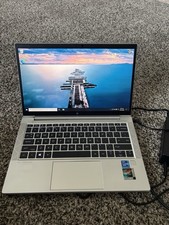
HP EliteBook 830 G8 Core I7-1185G7 3.00GHz Laptop 32GB RAM, 512GB SSD
$250.00

SGIN 17.3" Laptop Intel Quad-Core Up to 2.4 GHZ 8GB RAM 256GB SSD HD
$229.99
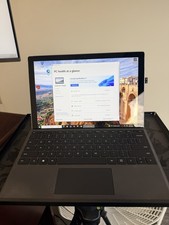
Microsoft Surface Pro 5 Silver 128GB SSD 4gb RAM
$97.97

AMD Ryzen 7 7800X3D 4.20GHz Quad Core 100-000000510 8 Thread AM4
$279.99

Apple Macbook Pro 13" M1 8-Core 16GB 512GB - Good
$464.99

Intel Xeon E5 - 2667V2 / SR19W 3.30GHz 25MB 8-Core CPU Socket LGA2011
$30.00

AMD FX 8350 8-CORE 4.00GHz CPU FD8350FRW8KHK SOCKET AM3+ *QTY
$39.99
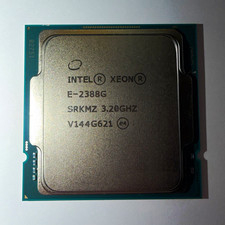
Intel Xeon E-2388G 8-Core 3.20GHz CPU Processor LGA 1151 SRKMZ
$699.99

DELL Optiplex 780 SFF CORE2DUO 3.0GHz 8GB RAM 250GB HDDDVDRW NO OS
$99.99



 Reply With Quote