

 Reply With Quote
Are you sure ?
Right click on the original file
Copy
Right click on a free portion of the window's PCManFm (same directory)
Past
Choose the new file name instead of the old one highlighted
Bye


Hi folks
In PCManFM 0.9.10, I want to simply make a copy of a file, and give the second file a different name, IN THE SAME DIRECTORY. I can't see a SIMPLE way to do this very simple task. Right clicking the original file doesn't offer a "copy to" option. Selecting Edit/CopyTo, expects you to specify ANOTHER directory.
So to achieve the task, I make a copy of the original file in ANOTHER directory, then rename it, then copy it back to the original directory.
Why doesn't PCManFM offer a simple action for this obvious task?
Thanks. John.

Are you sure ?
Right click on the original file
Copy
Right click on a free portion of the window's PCManFm (same directory)
Past
Choose the new file name instead of the old one highlighted
Bye
 Posting Permissions

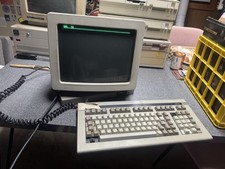
Wyse Terminal Wy-50 With Cherry Mx Keyboard Vintage CRT Monitor WORKS
$299.00

Vintage HP Hewlett Packard 2112A 21MX 1000 M-Series 16-Bit Minicomputer
$419.99

Vintage Jetway J-620BF Socket 370 Celeron AT Motherboard SiS 620 Brand New
$75.00

Vintage ECS Micro-ATX Desktop Case | Beige/Dark Grey | *READ*
$80.00
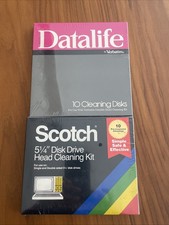
Vintage 5.25" Floppy Disk Drive Cleaning Kit Lot (1 Scotch 3M + 1 Verbatim) NOS
$49.00
![Apple Macintosh Boot Disk System [1.0 - 8.0] 400/800k/1.4 Floppy for Vintage Mac picture](/store/img/g/EhEAAOSwg7ZnexmU/s-l225/Apple-Macintosh-Boot-Disk-System-1-0-8-0-400-800k-.jpg)
Apple Macintosh Boot Disk System [1.0 - 8.0] 400/800k/1.4 Floppy for Vintage Mac
$11.75
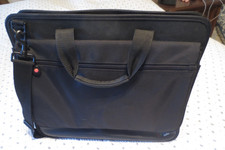
VINTAGE 16" BLACK NYLON IBM THINKPAD NOTEBOOK LAPTOP MESSENGER CARRYING CASE BAG
$32.95

Vintage Tandy Color Computer Print Master Software Manual & Floppy Disk Binder
$38.00

Vintage 1986 Goldenrod Research Corp CP/M Desktop Computer Syste w/Keyboard
$350.00

Vintage Toshiba Satellite 4090XDVD Intel Celeron 400Mhz Retro - Powers up Cards
$57.59