

 Reply With Quote
Are you sure ?
Right click on the original file
Copy
Right click on a free portion of the window's PCManFm (same directory)
Past
Choose the new file name instead of the old one highlighted
Bye


Hi folks
In PCManFM 0.9.10, I want to simply make a copy of a file, and give the second file a different name, IN THE SAME DIRECTORY. I can't see a SIMPLE way to do this very simple task. Right clicking the original file doesn't offer a "copy to" option. Selecting Edit/CopyTo, expects you to specify ANOTHER directory.
So to achieve the task, I make a copy of the original file in ANOTHER directory, then rename it, then copy it back to the original directory.
Why doesn't PCManFM offer a simple action for this obvious task?
Thanks. John.

Are you sure ?
Right click on the original file
Copy
Right click on a free portion of the window's PCManFm (same directory)
Past
Choose the new file name instead of the old one highlighted
Bye
 Posting Permissions


USB 3.0 Flash Drive 32GB 64GB 128GB Memory Stick Thumb Stick Lot Pack
$826.09

TF/SD Card Adapter Camera Reader Android Type-c For iPhone17 Pro Max Plusm lot
$573.98
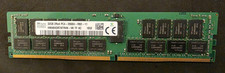
SK HYNIX 32GB 2RX4 PC4 2666V ECC SERVER RAM
$199.00

Windows 11 Pro Install/Recovery/Repair USB Flash Drive
$35.00

USB 3.0 Micro SD SDHC TF Card Reader Memory Adapter for PC Laptop Camera lot
$3.75

A-Tech 8GB DDR3 1600 PC3-12800 Laptop SODIMM 204-Pin Memory RAM PC3L DDR3L 1x 8G
$21.68
M386A8K40DM2-CVF SAMSUNG 64GB (1X64GB) 4DRX4 PC4-2933Y SERVER MEMORY
$1400.00

Intel Optane NMA1XXD128GPS DDR4 2666 4Rx4 ECC 128GB Server Ram
$80.00

5 in 1 Memory Card Reader USB 3.0 OTG Adapter SD Card Reader For iPhone/iPad LOT
$9.99
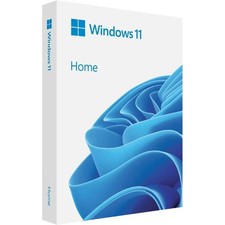
Microsoft Windows 11 Home 64-Bit USB Flash Drive + Key Retail Box - Original
$39.88