-
Senior Member
registered user
DVD + FDD can't Access.
Heres's my FSTAB:
# /etc/fstab: filesystem table.
#
# filesystem mountpoint type options dump pass
/dev/hdg6 / ext3 defaults,errors=remount-ro 0 1
/dev/hdg5 none swap sw 0 0
proc /proc proc defaults 0 0
/dev/fd0 /floppy vfat defaults,user,noauto,showexec,umask=022 0 0
/dev/cdrom /cdrom iso9660 defaults,ro,user,noexec,noauto 0 0
# partitions found by Knoppix
/dev/hdg1 /mnt/hdg1 vfat noauto,users,exec,umask=000,uid=knoppix,gid=knoppi x 0 0
#/dev/hdg1 /mnt/hda1 vfat auto,users,rw,exec,umount=0 0 0
#/dev/hdg6 /mnt/hdg6 ext3 noauto,users,exec 0 0
/dev/scd0 /cdrom auto ro,noauto,user,exec 0 0
/dev/scd1 /cdrom auto ro,noauto,user,exec 0 0
I can access the CD-ROM drive and hdg1 (Windows)
and FDD.
DVD - Wrong fs type, blah-blah ...
This was similar to CD-ROM , I had an UDF Disk in it - put
an regular CD-ROM Disk and it ran it.
The DVD-ROM has an regular CD DISK in it - but I get the Wrong fs type, etc. Error.
I tried /dev/scd0 and /dev/scd1 with no luck.
I have chmod a+rw on ALL DVD /dev/scd0 etc. -
No Luck.
Thanks...
-
Senior Member
registered user
UPDATE!
I read another article and tried following...
mount -t iso9660 /dev/scd1 /cdrom -o ro
It mounted from an Terminal. How do I view files on DVD,
and copy them.
Also why doesn't the link on DeskTop mount DVD.
I can't unmount DVD from DeskTop either, I presume I
need to run some unmount command from terminal.
I tried unmount - said command not found.
Thanks ...
-

Originally Posted by
TheCyberDude
UPDATE!
I read another article and tried following...
mount -t iso9660 /dev/scd1 /cdrom -o ro
It mounted from an Terminal. How do I view files on DVD,
and copy them.
Also why doesn't the link on DeskTop mount DVD.
I can't unmount DVD from DeskTop either, I presume I
need to run some unmount command from terminal.
I tried unmount - said command not found.
Thanks ...
umount
-
Senior Member
registered user
Ok, I got it to unmount using umount /dev/svd1 .
The DeskTop shows it still mounted with the little green arrow,
but unmount was unavailable in properties.
It was unmounted..
I found out how to view files and copy them, after mounting from terminal with
mount -t iso9660 /dev/scd1 /cdrom -o ro
just click on DeskTop DVD-ROM Icon.
Now if I could just get the DeskTop DVD-ROM Icon to connect to DVD-ROM Drive. I suspect it is an Root problem.
Thanks ...
Similar Threads
-
By outsider in forum General Support
Replies: 11
Last Post: 03-10-2004, 08:54 PM
-
By dankehoe1 in forum Networking
Replies: 7
Last Post: 01-08-2004, 09:10 AM
-
By senorian in forum The Lounge
Replies: 4
Last Post: 08-26-2003, 11:04 PM
-
By cehjohnson in forum General Support
Replies: 5
Last Post: 06-02-2003, 10:13 PM
-
By Krazy in forum General Support
Replies: 5
Last Post: 01-15-2003, 02:53 PM
 Posting Permissions
- You may not post new threads
- You may not post replies
- You may not post attachments
- You may not edit your posts
-
Forum Rules


Fujinet 1.7.1 Atari 400 800 800XL 130XE 65XE XEGS Assembled, Tested, Working
$99.99

Atari 400 / 800 Computer Memory Module 16K RAM PCB CX853 - Works Perfectly
$18.95

Atari 400 Home Computer System includes Power Cord G2U
$159.99

GreaseWeazle v4 board USB floppy drive adapter Retro All Formats
$35.00
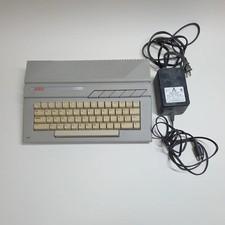
Broken Atari 130XE Console System 130XE No Power
$129.99
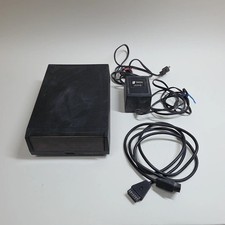
Broken Indus GT Floppy Disk Drive for Atari
$129.99

Atari 1200 XL home computer with original owners guide and power supply power on
$255.00
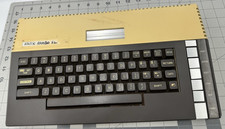
Atari 800XL 8-bit Home Computer Video Game System - **UNTESTED PARTS OR REPAIR**
$69.99

DEFECTIVE Atari 810 Vintage Computer Disk Drive powers on Unit Only Boo G3D
$49.29

UNOCART-2600 SD card Multi Rom Cartridge for ATARI 2600 with CASE
$34.25



 Reply With Quote