-

Originally Posted by
STraute

Hello ttopp;
Well, I still don't know why Your PC can boot Spinrite from flash storage but seemingly nothing else. Therefore I don't yet have an answer.
Sorry, I can't help you there either. The only PC (Laptop) with a floppy drive I still have does not have usable USB ports. But I remember to be able to write boot floppies for/from a Linux Installation on the internal hard disk of that laptop. That was a nice way to preserve boot loaders of other OS on the HDD of the laptop.
Knoppix still comes with the needed tools, I think: fdformat and grub-mkrescue (or grub-mkimage) might be the ticket for that. Perhaps other forum members can help you to find and test a procedure for making a Knoppix 7.0.5 boot floppy?
Thank you so much. And, the 256MB USB that booted Spinrite had a FreeDOS on it -if I hadn't mentioned it-, prior to now. I apologize, I thought I covered all the particulars. I last used LILO so I am now off to read up on, grub? Thank you.
-
Knoppix 7.0.5 USB installer (experimental) fix for Dummies
As a new user to Knoppix, and Linux in general, I could not get Knoppix 7.0.5 (Experimental) to install on my USB due to the error message saying that the overlay must be set at 400MB.
I read Straute’sposts, 11 and 21, over and over trying as a FNG to understand what he was advising Philo to do and most importantly, how to do it. So with the little UNIX knowledge I have, I ventured down the following path.
To apply this fix/patch I used vi editor. Google “vi editor commands” if you’re not familiar with vi
1- Open a terminal window and at the “knoppix@Microknoppix:-$” prompt type su then hit[Enter]
2- At the “root@Microknoppix:/home/knoppix#” prompt type “cd /usr/bin” hit [Enter]
3- At the next prompt type “vi flash-knoppix2 [Enter]
4- At the #!/bin/bash prompt, use your down arrow key to scroll down to line “367,1.
You should be on the line that reads “total="$(awk '{print ($1 / 2048 )}'/sys/block/"${FLASH##*/}"/size 2>/dev/null)"
5- Use your right arrow key to scroll over to “total="$(awk'{print”
6- Place your cursor just after the word {print_” and press the letter “i” to Insert characters.
7- Make these changes: {printf ("%d", ($1 / 2048 ) )}’
8- Hit the ESC key, then type “:wq [Enter]” to write and save your changes to flash-knoppix2.
9- Open another terminal window and again type su [Enter]
10- Type “cd /user/bin/ [Enter]”
11- Type “ flash-knoppex2 [Enter]
12- When the “flash-knoppix (as superuser)” window opens, select your USB drive and click on [OK]
13- At the next window select option “p” and click on [OK]
14- You can now proceed with the install without the “overlay must be set at400MB’ message
I hope this is of some helpto those new to Linux and newer to Knoppix.
 Posting Permissions
- You may not post new threads
- You may not post replies
- You may not post attachments
- You may not edit your posts
-
Forum Rules

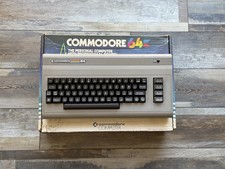
Fully Refurbished Commodore 64 + Original Box | Recapped, Tested, Guaranteed
$299.00

Pi1541 Zero with Epyx Fastload Hat, Case & 16gb SD for Commodore 64 and 128
$79.99

TeensyROM+ TR+ v0.4 Cartridge for C64/128 - w/ Case & 32GB SD Preloaded
$89.50

Commodore 64 Dead Test & Diagnostic Cartridge & Test Harness Set - USA seller
$39.99
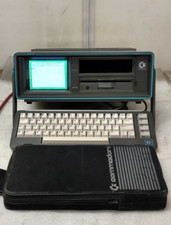
Commodore SX-64 Personal Computer
$600.00

Commodore 64 Serial Cable 6PIN DIN 1541 1571 C64 128 C128 Disk Drive Printer USA
$10.49

Commodore 1541 Emulator PI1541 HAT with ROTARY, OLED screen, USA Seller
$29.99

SOLD AS IS Lot of 5.25" Floppy Disks w/ Games & Software? Commodore 64 Atari 800
$59.99

Commodore OS USB | Bootable LIVE + Install | The Ultimate Gaming Linux OS | NEW
$11.99
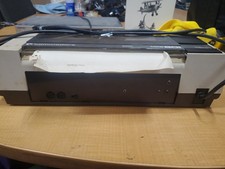
RARE Commodore MPS801 Printer - 1st printer for the 64 - powers on
$70.00



 Reply With Quote