-
Senior Member
registered user
Purging packages from the 7.0.5DVD, installing previous package selections
Most of this has been posted earlier, but here it is, checked for 7.0.5.
To make room for other programs in a remastering, purging is needed. Everything isn't equally safe to purge, but games, some documentation and some language support is usually safe. We can also always reinstall something should things go wrong.
To find out what takes the most space, we can issue a command like this:
Code:
dpkg-query -W --showformat='${Installed-Size} ${Section} ${Package}\n' | sort -n > knx705_DVDpack_size.txt
Looking at the end of the file created, we can check if the packages taking up the most space are really things we need to have installed. Just remember that nowadays, a program often comes as a set of packages, and every package of that set being small doesn't guarantee that the totality is.
This is my main list of purges. It can be put in a shell script and executed at once, but I prefer to run the lines one by one. Also, it may be a good idea to omit the "-y" command, to be able to stop a purging in process - aptitude tells what it has figured out to do, and gives you the choice to not accept it.
Code:
# Purging 7.0.5 DVD
sudo aptitude -y purge `dpkg-query -W --showformat='${Section} ${Package}\n' | grep ^games | cut -d' ' -f2`
sudo aptitude -y purge `dpkg-query -W --showformat='${Section} ${Package}\n' | grep bacula | cut -d' ' -f2`
sudo aptitude purge `dpkg-query -W --showformat='${Section} ${Package}\n' | grep ^editors | grep lyx | cut -d' ' -f2`
sudo aptitude purge `dpkg-query -W --showformat='${Section} ${Package}\n' | grep ^editors | grep abiword | cut -d' ' -f2`
sudo aptitude purge `dpkg-query -W --showformat='${Section} ${Package}\n' | grep ^gnome | grep gnucash | cut -d' ' -f2`
sudo aptitude purge `dpkg-query -W --showformat='${Section} ${Package}\n' | grep ^gnome | grep nautilus | cut -d' ' -f2`
sudo aptitude purge `dpkg-query -W --showformat='${Section} ${Package}\n' | grep ^mail | grep kmail | cut -d' ' -f2`
sudo aptitude purge `dpkg-query -W --showformat='${Section} ${Package}\n' | grep ^mail | grep icedove | cut -d' ' -f2`
sudo aptitude purge `dpkg-query -W --showformat='${Section} ${Package}\n' | grep ^utils | grep amanda | cut -d' ' -f2`
sudo aptitude purge `dpkg-query -W --showformat='${Section} ${Package}\n' | grep ^web | grep chromium | cut -d' ' -f2`
sudo aptitude -y purge `dpkg-query -W --showformat='${Section} ${Package}\n' | grep ^kde | grep l10n | cut -d' ' -f2`
sudo aptitude -y purge `dpkg-query -W --showformat='${Section} ${Package}\n' | grep ^graphics | grep inkscape | cut -d' ' -f2`
sudo aptitude -y purge `dpkg-query -W --showformat='${Section} ${Package}\n' | grep ^graphics | grep scribus-ng | cut -d' ' -f2`
sudo aptitude -y purge `dpkg-query -W --showformat='${Section} ${Package}\n' | grep ^doc | grep gimp-help-de | cut -d' ' -f2`
In addition, to make room for more Java servers etc, I do some extra purging, like:
Code:
sudo aptitude -y purge `dpkg-query -W --showformat='${Section} ${Package}\n' | grep openshot | cut -d' ' -f2`
sudo aptitude  purge `dpkg-query -W --showformat='${Section} ${Package}\n' | grep oxygencursors | cut -d' ' -f2`
sudo aptitude  purge `dpkg-query -W --showformat='${Section} ${Package}\n' | grep gnome-user-guide | cut -d' ' -f2`
sudo aptitude -y purge `dpkg-query -W --showformat='${Section} ${Package}\n' | grep qt4-demos | cut -d' ' -f2`
When it is all done, it's time for some install. This is a way to recover, as far as possible, an earlier selection of packages - in this case the extra R and math packages I installed with 6.4.4, the selection list was then written to disk with the command
Code:
dpkg-query -W --showformat='${Section} ${Package}\n' | sort -n > knx644_64_sqpack_sect1.txt
in the packlists subdirectory.
Now, I can recover parts of that selection by using this type of command
Code:
sudo aptitude install `cat packlists/knx644_64_sqpack_sect1.txt | grep ^gnu-r | cut -d' ' -f2`
sudo aptitude install `cat packlists/knx644_64_sqpack_sect1.txt | grep ^math | cut -d' ' -f2`
It turned out, that the math category from that install would now occupy ca 350MB extra - I therefore decided to wait and go for a smaller selection.
 Posting Permissions
- You may not post new threads
- You may not post replies
- You may not post attachments
- You may not edit your posts
-
Forum Rules


(New) AMD Ryzen 7 5700X 8 Core 16 Thread AM4 Unlocked 3.4 GHz CPU OEM Tray
$169.99
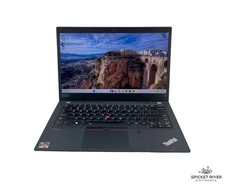
Lenovo ThinkPad T14 Gen 2a 8-Core Ryzen Pro 7 5850U 1.90GHz 512GB SSD 16GB RAM
$300.00

Intel Core i9-9900K SRG19 3.60GHz 16MB 8-Core LGA1151 B Grade CPU Processor
$175.00
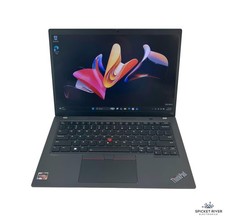
Lenovo ThinkPad T14 Gen 3 8-Core AMD Ryzen 7 Pro 6850U 2.7GHz 512GB SSD 16GB RAM
$450.00

AMD Ryzen 5 PRO 4650GE 100-000000153 6-Core 3.30GHz 8MB AM4 CPU Processor
$59.99

Intel Xeon E5 - 2667V2 / SR19W 3.30GHz 25MB 8-Core CPU Socket LGA2011
$30.00

AMD Ryzen 7 9700X 8-Core 16-Thread 40MB Cache Socket AM5 9000 Series Processor
$245.99

Microsoft Surface Go 2 Laptop Core i5 1135G7 2.4GHz 8GB 128GB SSD
$179.99

AMD Ryzen 7 7700X 8-Core, 16-Thread Unlocked Desktop Processor
$250.00

Dell T7810 Workstation 8-Core 2.40GHz E5-2630 v3 No RAM GPU HDD OS
$259.98



 Reply With Quote