-
Senior Member
registered user
Hidden Gems in your CD-size Knoppix 7.0.5 LiveUSB
.
Put some hidden gems as new choices on your Knoppix 7.0.5 LiveCD MainMenu.
These steps add three new menu choices at MainMenu>Universal Access:
Look at MainMenu>Universal Access
Note four current choices: daisy-player, eBook speaker, orca and xvkbd.
Go to /usr/share/applications;
note absent are desktop files for aptitude, mc and xkill.
Create three files, all are chown root:root and chmod 644, as follows.
Create a file, aptitude.desktop:
[Desktop Entry]
Name=aptitude
Icon=aptitude
Exec=aptitude
Terminal=true
Type=Application
Categories=Accessibility
Create a file, mc.desktop:
[Desktop Entry]
Name=mc
Icon=mc
Exec=mc
Terminal=true
Type=Application
Categories=Accessibility
Create a file, xkill.desktop:
[Desktop Entry]
Name=xkill
Icon=xkill
Exec=xkill
Terminal=true
Type=Application
Categories=Accessibility
Save these three files in /usr/share/applications.
As root, command update-menus.
Look again at MainMenu>Universal Access.
You should now see three new menu entries.
Each of these may be edited with a gui called-up with a right-click on properties.
These edited menu files are saved at /home/knoppix/.local/share/applications
...still chmod 644, but now chown knoppix:knoppix.
Revise the Name, Icon & Tooltip on each as you please with the gui.
-
Is there a gem for keeping time sync with internet servers? 'tzselect' doesn't work with bitcoins-QT package. The bitcoins-QT program stops immediately before beginning to download the 4GB transaction BlockChain file. Message is: 'Make sure your time and date arae correct.'
-
Not a gem but a console tool - ntpdate. Open a root-terminal and install it with
Code:
aptitude install ntpdate
For clock sync use
Code:
/usr/sbin/ntpdate -v pool.ntp.org
I always recommend to use UTC within BIOS and use proper settings of "tz=...." in the "APPEND" lines of '/mnt-system/boot/syslinux/syslinux.cfg' or in case of HD installation in the "kernel" lines of '/boot/grub/menu.lst'.
Have a look at '/usr/share/zoneinfo' which value may usefull for you; for example "tz=America/New_York".
 Posting Permissions
- You may not post new threads
- You may not post replies
- You may not post attachments
- You may not edit your posts
-
Forum Rules


(New) AMD Ryzen 7 5700X 8 Core 16 Thread AM4 Unlocked 3.4 GHz CPU OEM Tray
$174.99

SGIN 17.3" Laptop Intel Quad-Core Up to 2.4 GHZ 8GB RAM 256GB SSD HD
$229.99

HP ZBook Firefly 14" G8 Mobile Workstation i5 11th Gen 16GB RAM 256 GB SSD No AC
$184.99
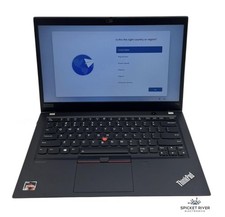
Lenovo ThinkPad T14S Gen 1 8-Core Ryzen 7 Pro 4750U 512GB SSD 16GB RAM FAIR BATT
$225.00

Intel Xeon E5 - 2667V2 / SR19W 3.30GHz 25MB 8-Core CPU Socket LGA2011
$30.00
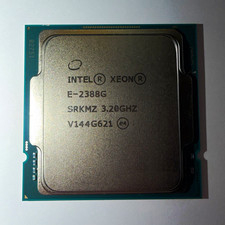
Intel Xeon E-2388G 8-Core 3.20GHz CPU Processor LGA 1151 SRKMZ
$799.99

AMD Ryzen 7 9800X3D 8-Core 16-Thread AM5 CPU Processor Brand New Unused
$395.95

AMD FX 8350 8-CORE 4.00GHz CPU FD8350FRW8KHK SOCKET AM3+ *QTY
$39.99

Dell T7810 Workstation 8-Core 2.40GHz E5-2630 v3 No RAM GPU HDD OS
$259.98

Dell OptiPlex 5070 SFF i7-9700 (8-Core) 3.0GHz 16GB 256 SSD Windows 11
$250.00



 Reply With Quote