-
I have used the install from the text install on the CD and both options from the menus in graphics mode and allowed the installation to sort out its own partitioning.
Try:
- Create with 'Preferences=> Gparted': Partition #1, maximum size, unformatted
- Select 'Knoppix=> Install Knoppix to flash disk' (not "experimental version"!)
- Select as desired target device the flash device
- Answer "Format partition?" with "Yes"
- Let Knoppix create an "Overlay"-file
Last edited by Werner P. Schulz; 01-04-2013 at 07:32 AM.
-
Sorry for the delay in replying I got a bit careless with GParted...

Originally Posted by
Werner P. Schulz

Try:
- Create with 'Preferences=> Gparted': Partition #1, maximum size, unformatted
- Select 'Knoppix=> Install Knoppix to flash disk' (not "experimental version"!)
- Select as desired target device the flash device
- Answer "Format partition?" with "Yes"
- Let Knoppix create an "Overlay"-file
I thought I'd done that a couple of times in my attempts but maybe I didn't, and I'm a bit puzzled but...
Anyway, following your instructions.
Laptop is now booting from CD and DVD flash drive installs. It has worked with both my 16 and 32GB drives.
I still can't get my desktop PC with the Gigabyte motherboard to boot from either flash drive.
-
Senior Member

I encountered a similar problem with my Intel Desktop. Whereas my other PCs only require me to use the F12 key to choose a USB flash card as the boot device, or to place it first in the boot configuration, the Intel PC chooses to consider flash devices greater than 4GB (or maybe it's 2GB?) as drives. In order to have such devices appear in the boot configuration lineup, you have to rearrange them first in the drive lineup (because only so many places are available, IIRC). This is all a bit fuzzy because it's been a few months since I last dealt with this problem.
 Posting Permissions
- You may not post new threads
- You may not post replies
- You may not post attachments
- You may not edit your posts
-
Forum Rules

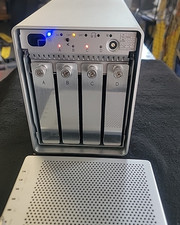
OWC Mercury Elite-AL Pro Qx2 4-Bay RAID Enclosure + SATA 1394 -USB 2.0 (8TB)
$180.00
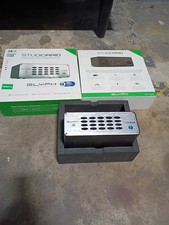
Glyph StudioRAID 28TB External RAID Hard Drive Thunderbolt 2 USB 3.0 7200RPM
$300.00

Broadcom 9600-24i RAID Controller PCIe Gen 4.1 Tri-Mode NEW 05-50111-01004
$649.99

OWC Mercury Elite Pro 2 Bay RAID Enclosure with USB 3.2 for Dual 3.5 inch HDDs
$87.99

2-Bay/4-Bay Hard Drive Enclosure for 3.5"/2.5'' SATA HDD/SSD 10Gbps USB-C 3.2
$75.99

WAVLINK RAID 2 Bay Hard Drive Docking Station SATA 2.5/3.5'' SSD HDD Enclosure
$119.99

Acasis USB 3.2 2 Bay HDD RAID Enclosure for 2.5/3.5" SATA Drives External Array
$55.00

Broadcom LSI 9305-16i 12Gbps SAS-3 PCIe x8 HBA 16-Ports Raid Controller
$64.99

Broadcom 9600-24i Tri-Mode RAID Controller 4.0 NVMe SAS SATA NEW 05-50111-01003
$639.69

Adaptec ASR-71605 16-Port 1Gbps PCIe RAID Card High Profile
$18.49



 Reply With Quote