-
Junior Member

 Cannot set static IP address in Knoppix 7
I often boot to Knoppix 2 (the command-line) on a network without DHCP that I administer. Up through Knoppix 6, I always set a static IP address by appending the following to /etc/network/interfaces:
auto eth0
iface eth0 inet static
address 10.0.0.200
netmask 255.255.255.0
gateway 10.0.0.1
Then, I would bring it up:
ifup eth0
portmap (I now am using "rpcbind" instead since portmap is renamed in Knoppix 7)
rpc.statd
This has always worked for me the in the past using pre-version 7 Knoppix and portmap. Now it works, but only for 15 seconds or so before the interface falls down. Both the presence of an IPv4 address in "ifconfig" and pinging reveal that. I can even bring eth0 up and "ping -c 40 10.0.0.1", then watch it ping successfully the first few times and get some "address not routable" error thereafter!
I've also tried the boot cheats "nodhcp" and "ip=10.0.0.200" to no avail. Is my procedure for static IPs out of date? Or have I encountered a bug in Knoppix 7?
-
Senior Member
registered user
I haven't needed static IP for years, but this could look like some network-manager stuff to me. Tried to halt or setup the network manager?
-
Junior Member
Where do I find network manager? Is that a graphical program? If so, it shouldn't affect anything in text mode (Knoppix 2).
I did boot to the GUI and set the static IP address graphically and it worked, BTW. But that's not a solution to my problem because I still prefer text mode and should be able to change network adapter settings from there.
-
Senior Member
registered user

Originally Posted by
voidxor

Where do I find network manager? Is that a graphical program? If so, it shouldn't affect anything in text mode (Knoppix 2).
I did boot to the GUI and set the static IP address graphically and it worked, BTW. But that's not a solution to my problem because I still prefer text mode and should be able to change network adapter settings from there.
All system programs may be equipped with some kind of graphical front-ends, but still operate without them, so text mode is no guarantee that a service doesn't run and keep on doing things you don't want. If you search for network-manager, you will find it is a Gnome-based service, currently configured by /etc/NetworkManager/NetworkManager.conf (on my out-of-the-box 7.0.5 DVD), with this default content:
Code:
[main]
plugins=ifupdown,keyfile
[ifupdown]
managed=true
The intention, at least, is that you can tweak this to fit your needs, but if it doesn't wotk out, you can always use the cheat code klaus2008 suggests.
-
Junior Member
The nonetworkmanager cheat works perfectly. Thank you for the workaround. Are we gaining a consensus that Network Manager is unwelcome in Knoppix 2? Does anybody else feel that this is a bug?
-
Senior Member
registered user
Originally Posted by
voidxor
The nonetworkmanager cheat works perfectly. Thank you for the workaround. Are we gaining a consensus that Network Manager is unwelcome in Knoppix 2? Does anybody else feel that this is a bug?
I wouldn't call it a bug with today's ordinary uses. To me, it is rather a typical example of simplicity for most users becoming a hassle for some more technically oriented ones. I think the config files lets us give the MAC addresses of interfaces network-manager shall keep its fingers off, so it should be a rather simple configuration operation once one knows about it.
-
Senior Member
registered user
Did you try the cheatcode 'nonetworkmanager'?
-
Junior Member
Update: I have solved my static IP troubles by switching to Debian Live Rescue. It's like stepping into last decade, but the stability is second to none.
 Posting Permissions
- You may not post new threads
- You may not post replies
- You may not post attachments
- You may not edit your posts
-
Forum Rules


16GB KIT (2x8GB) DDR3 Gamer Desktop RAM PC3 MIXED BRANDS VIPER VENGEANCE FURY
$10.00

Netac DDR4 32GB 16GB DDR4 3200MHz UDIMM C16 Desktop Internal Memory RAM Kit
$99.99

MTC8C1084S1SC56BD1 Micron 16GB DDR5 1Rx8 PC5-5600B 5600Mhz SO-DIMM Memory
$149.99

A-Tech 8GB DDR3 1600 PC3-12800 Laptop SODIMM 204-Pin Memory RAM PC3L DDR3L 1x 8G
$21.68
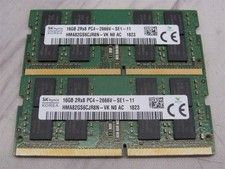
32GB KIT - 2x SK Hynix 16GB 2Rx8 PC4-2666V DDR4 SODIMM Laptop Memory RAM
$99.99

Major Brand 16GB (2x8GB) PC3-12800U DDR3-1600MHz DDR3-12800 DESKTOP RAM NON-ECC
$29.99

Samsung 32GB DDR4-2666V-2Rx4-RB2-12 RAM M393A4K40CB2-CTD6Q
$169.00
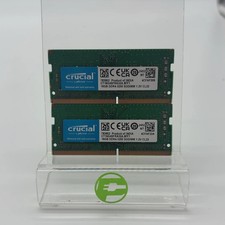
Crucial Laptop Ram 32GB (2x16GB) RAM DDR4 3200MHz CT16G4SFRA32A
$119.99

Micron 32GB 1x32GB DDR5 5600 CL46 ECC Unbuffered SO-DIMM MTC20C2085S1TC56BD1
$399.00

Corsair Vengeance DDR3 8GB 16GB 32GB 1866MHz PC3-14900 Desktop RAM Memory DIMM
$43.00



 Reply With Quote