

 Reply With Quote
I haven't needed static IP for years, but this could look like some network-manager stuff to me. Tried to halt or setup the network manager?


 Cannot set static IP address in Knoppix 7
I often boot to Knoppix 2 (the command-line) on a network without DHCP that I administer. Up through Knoppix 6, I always set a static IP address by appending the following to /etc/network/interfaces:
auto eth0
iface eth0 inet static
address 10.0.0.200
netmask 255.255.255.0
gateway 10.0.0.1
Then, I would bring it up:
ifup eth0
portmap (I now am using "rpcbind" instead since portmap is renamed in Knoppix 7)
rpc.statd
This has always worked for me the in the past using pre-version 7 Knoppix and portmap. Now it works, but only for 15 seconds or so before the interface falls down. Both the presence of an IPv4 address in "ifconfig" and pinging reveal that. I can even bring eth0 up and "ping -c 40 10.0.0.1", then watch it ping successfully the first few times and get some "address not routable" error thereafter!
I've also tried the boot cheats "nodhcp" and "ip=10.0.0.200" to no avail. Is my procedure for static IPs out of date? Or have I encountered a bug in Knoppix 7?
I haven't needed static IP for years, but this could look like some network-manager stuff to me. Tried to halt or setup the network manager?
Where do I find network manager? Is that a graphical program? If so, it shouldn't affect anything in text mode (Knoppix 2).
I did boot to the GUI and set the static IP address graphically and it worked, BTW. But that's not a solution to my problem because I still prefer text mode and should be able to change network adapter settings from there.
Did you try the cheatcode 'nonetworkmanager'?
All system programs may be equipped with some kind of graphical front-ends, but still operate without them, so text mode is no guarantee that a service doesn't run and keep on doing things you don't want. If you search for network-manager, you will find it is a Gnome-based service, currently configured by /etc/NetworkManager/NetworkManager.conf (on my out-of-the-box 7.0.5 DVD), with this default content:Originally Posted by voidxor

The intention, at least, is that you can tweak this to fit your needs, but if it doesn't wotk out, you can always use the cheat code klaus2008 suggests.Code:[main] plugins=ifupdown,keyfile [ifupdown] managed=true
The nonetworkmanager cheat works perfectly. Thank you for the workaround. Are we gaining a consensus that Network Manager is unwelcome in Knoppix 2? Does anybody else feel that this is a bug?
I wouldn't call it a bug with today's ordinary uses. To me, it is rather a typical example of simplicity for most users becoming a hassle for some more technically oriented ones. I think the config files lets us give the MAC addresses of interfaces network-manager shall keep its fingers off, so it should be a rather simple configuration operation once one knows about it.
Specifically, I meant that Network Manager is helpful to most users (who boot to the GUI). I only meant that it is unwelcome in Knoppix 2 (the text-mode). Since the default content of /etc/NetworkManager/NetworkManager.conf that you pasted above doesn't have an obvious spot for a static IP address, subnet mask, and default gateway, I find /etc/network/interfaces to be the obvious way to establish a static IP address in text mode. Therefore, I don't welcome Network Manager when booted to text mode. Furthermore, I believe Knoppix 7's command line should behave as close to Knoppix 6's command line as possible. New features shouldn't break beloved commands.
Yes, in your use situation, the case is pretty clear. But I can imagine that KK is rather reluctant to tie basic services to the graphical mode, which is why he has opted for a cheatcode off-switch instead. And when you have told networkmanager not to manage an interface, I would think the other configuration tools work or could relatively easily be made to do so.
I completely agree with respect to command line behavior.
Update: I have solved my static IP troubles by switching to Debian Live Rescue. It's like stepping into last decade, but the stability is second to none.
 Posting Permissions


OPNsense pfSense 8-Core Atom C3758 2.2GHz 8GB DDR4 64GB SSD 8x NIC QAT AES VPN
$155.00

pfSense Firewall 16-Core Atom C3958 8GB DDR4 RAM 64GB SSD 8x 1Gbe QAT AES-NI VPN
$184.99

OPNsense pfSense 16-Core Atom C3958 16GB ECC RAM 512GB SSD 8-Port QAT AES-NI VPN
$298.00

Zero Trace Pen: All-in-one Tor Network Anonymous Drive + Cryptocurrency Wallet
$147.00

Fortinet FortiGate 60F FG-60F P24286-03-13 Network Firewall Security Appliance
$155.75

Palo Alto PA-220 Next-Gen Firewall 520-000309-00J
$40.00
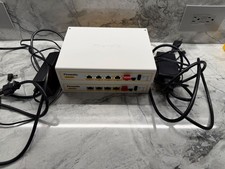
TWO (2) Firewalla Gold Pro Devices - 10 Gbps Cyber Security Firewall
$1444.00

OPNsense Firewall VPN QAT 8-Core Atom C3758 2.20GHz 16GB DDR4 128GB SSD 8xNIC
$175.00
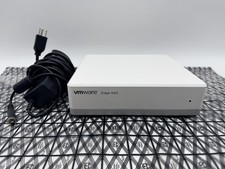
OPNsense Firewall Router VMware Edge 640 Atom C3758 32GB ECC RAM 256GB SSD 10Gbe
$284.99

Cisco Meraki MX67-HW Security Appliance Firewall NEW Unused Unclaimed
$202.50