
I haven't needed static IP for years, but this could look like some network-manager stuff to me. Tried to halt or setup the network manager?


I haven't needed static IP for years, but this could look like some network-manager stuff to me. Tried to halt or setup the network manager?

Where do I find network manager? Is that a graphical program? If so, it shouldn't affect anything in text mode (Knoppix 2).
I did boot to the GUI and set the static IP address graphically and it worked, BTW. But that's not a solution to my problem because I still prefer text mode and should be able to change network adapter settings from there.
All system programs may be equipped with some kind of graphical front-ends, but still operate without them, so text mode is no guarantee that a service doesn't run and keep on doing things you don't want. If you search for network-manager, you will find it is a Gnome-based service, currently configured by /etc/NetworkManager/NetworkManager.conf (on my out-of-the-box 7.0.5 DVD), with this default content:Originally Posted by voidxor

The intention, at least, is that you can tweak this to fit your needs, but if it doesn't wotk out, you can always use the cheat code klaus2008 suggests.Code:[main] plugins=ifupdown,keyfile [ifupdown] managed=true
The nonetworkmanager cheat works perfectly. Thank you for the workaround. Are we gaining a consensus that Network Manager is unwelcome in Knoppix 2? Does anybody else feel that this is a bug?
I wouldn't call it a bug with today's ordinary uses. To me, it is rather a typical example of simplicity for most users becoming a hassle for some more technically oriented ones. I think the config files lets us give the MAC addresses of interfaces network-manager shall keep its fingers off, so it should be a rather simple configuration operation once one knows about it.
Specifically, I meant that Network Manager is helpful to most users (who boot to the GUI). I only meant that it is unwelcome in Knoppix 2 (the text-mode). Since the default content of /etc/NetworkManager/NetworkManager.conf that you pasted above doesn't have an obvious spot for a static IP address, subnet mask, and default gateway, I find /etc/network/interfaces to be the obvious way to establish a static IP address in text mode. Therefore, I don't welcome Network Manager when booted to text mode. Furthermore, I believe Knoppix 7's command line should behave as close to Knoppix 6's command line as possible. New features shouldn't break beloved commands.
Yes, in your use situation, the case is pretty clear. But I can imagine that KK is rather reluctant to tie basic services to the graphical mode, which is why he has opted for a cheatcode off-switch instead. And when you have told networkmanager not to manage an interface, I would think the other configuration tools work or could relatively easily be made to do so.
I completely agree with respect to command line behavior.
 Posting Permissions


Lenovo ThinkPad L13 Yoga Touch Laptop 13.3” Core i5 8GB RAM 256GB SSD Win 11 Pro
$239.99

Lenovo ThinkPad L15 Gen 3 15.6" 16GB, Thunder Black
$241.50

Lenovo ThinkPad E14 Gen 2 Laptop 14” HD Ryzen 5 16GB RAM 512GB SSD Win 11 Pro
$319.99

Lenovo ThinkPad L15 Gen 3 15.6" 16GB, Thunder Black
$241.50

Lenovo ThinkPad T14 Gen 1 14" AMD Ryzen 5 16GB 256GB SSD
$219.99

Lenovo Thinkpad T14 Gen 2i 14" 16GB 512GB, Black
$313.00

Lenovo ThinkPad E14 Gen 3 Laptop 14” FHD AMD Ryzen 5 16GB RAM 512GB SSD Win 11
$374.99
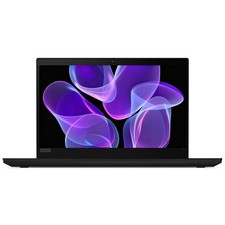
Lenovo Thinkpad T14 Gen 2 14" 16GB, Thunder Black
$387.46
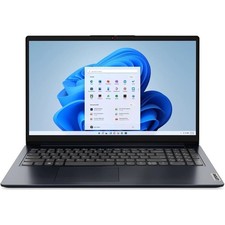
Lenovo IdeaPad 1 15AMN7 15.6" 8GB 512GB, ABYSS BLUE
$190.99

Lenovo ThinkPad T495 14” Laptop AMD Ryzen 5 PRO 16GB RAM 256GB SSD Windows 11
$229.99

 Reply With Quote