

For me this is important. My clients pxe boot at times specified within the bios but I need them to shutdown at a certain time also. To accomplish this the time must be correct. Here is how I sync time.
Install ntpdate, edit /etc/init.d/knoppix-autoconfig and /etc/default/ntpdate.
Within knoppix-autoconfig edit the section that starts with #Set timezone, the next line under this, KTZ="America/Chicago" (for my time zone, edit to meet your zone).
Within ntpdate add the # to the begining of the 5th line (#NTPDATE_USE_NTP_CONF=yes) next edit the 8th line that states NTPSERVERS="192.168.1.253" (my internal time server is 192.168.1.253 edit that to match your time server needs, ip or name will do)
Now each time your knoppix boots it will sync / set time with the server you specified.
Enjoy!
 Posting Permissions


128GB (4x32GB) SK hynix DDR4 PC4-2666V RDIMM ECC Server Ram HMA84GR7CJR4N-VK
$799.00

TF/SD Card Adapter Camera Reader Android Type-c For iPhone17 Pro Max Plusm lot
$573.98
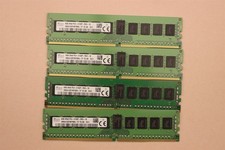
lOT OF 4 SKhynix 8GB (4 x 8GB =32GB) HMA41GR7MFR8N-TF 2R8 PC4-2133P DDR4 MEMORY
$89.00

Microsoft Office 2021 Pro Plus USB for 1PC Windows 10 & 11
$62.50

Kingston 32GB 64GB 128GB 256GB USB 3.0 Flash Drive Thumb Memory Stick Pen lot
$285.90

USB 3.0 Flash Drive 32GB 64GB 128GB Memory Stick Thumb Stick Lot Pack
$826.09

USB 3.0 Micro SD SDHC TF Card Reader Memory Adapter for PC Laptop Camera lot
$3.75
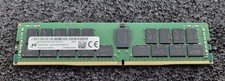
32GB Micron PC4 – 3200AA DDR4 ECC Registered Server RAM - MTA36ASF4G72PZ-3G2J3
$200.00

Windows 11 Pro Install/Recovery/Repair USB Flash Drive
$35.00

Microsoft Windows 11 Home 64-Bit USB Flash Drive + Key Retail Box - Original
$39.88


 Reply With Quote