

 Reply With Quote
Have you tried changing the channel on the Belkin ? Does the output ofshow other wireless on the same channel, and what does the output ofCode:iwlist <interface>scanningsuggest as far as link quality etc. ?HTML Code:iwconfig


.
My laptop has a built-in wifi, rated for class a/b/g and n.
I have two routers, one from Verizon which is rated for class a/b/g, and connects with WEP.
the other is a Belkin rated for classes g and n, and connects with WAP.
I have nominally 15 Mb/s broadband, and 15 internet-near-neighbors, mostly Verizon subscribers
I would guess from the routers' designations. My routers show 2 to 4 bars, neighbors show 1 or 2.
My laptop usually connects to either of my routers in a few seconds, with the WAP connection taking
just slightly longer.
Over an eight-hour period of occasional, but infrequent on-line use of a given internet
connection, the Verizon router remains connected continuously, whereas
over a comparable eight-hour period, the Belkin
router has 145 disconnect-and-reconnects, averaging about every 3.3 minutes. The disconnected
period for the Belkin router is usually only about two seconds long.
If I were not alarmed by all the print-out on /var/log/syslog for the Belkin case, I might not
be aware of much diffence in browsing performance between the two routers, excepting only the
occasional time there is a noticeable lag in surfing to a new internet address, presumably
waiting for one of the two-second-reconnects to complete.
Any thoughts on what might be troubling my Belkin router would be appreciated.
Last edited by utu; 01-08-2013 at 08:02 PM.
Have you tried changing the channel on the Belkin ? Does the output ofshow other wireless on the same channel, and what does the output ofCode:iwlist <interface>scanningsuggest as far as link quality etc. ?HTML Code:iwconfig
Greetings, Rusty & thanks for your comments:
iwlist gives the following info:
--Code:iwlist wlan0 scanning | grep -A 3 Freq > iwlist.txt and some << marginal notes added Frequency:2.412 GHz (Channel 1) Quality=70/70 Signal level=-34 dBM <- sometimes 4 bars Quality=45/70 Signal level=-65 dBm <- other times 2 bars Encryption key:on ESSID:"belkin.594" <- my 'n' router -- Frequency:2.462 GHz (Channel 11) Quality=35/70 Signal level=-75 dBm <- 2 bars, usually Encryption key:on ESSID:"WARnet" <- a neighbor -- Frequency:2.462 GHz (Channel 11) Quality=21/70 Signal level=-89 dBm Encryption key:on ESSID:"2P5U7" -- Frequency:2.462 GHz (Channel 11) Quality=42/70 Signal level=-68 dBm <- 2 bars, usually Encryption key:on ESSID:"BUXL3" <- my 'g' router -- Frequency:2.437 GHz (Channel 6) Quality=26/70 Signal level=-84 dBm Encryption key:on ESSID:"woozle" -- Frequency:2.462 GHz (Channel 11) Quality=23/70 Signal level=-87 dBm Encryption key:on ESSID:"EJIM2" -- Frequency:2.437 GHz (Channel 6) Quality=25/70 Signal level=-85 dBm Encryption key:on ESSID:"NYM3B" -- Frequency:2.412 GHz (Channel 1) Quality=23/70 Signal level=-87 dBm Encryption key:on ESSID:"E5JA2" -- Frequency:2.462 GHz (Channel 11) Quality=20/70 Signal level=-90 dBm Encryption key:on ESSID:"418A5" -- Frequency:2.412 GHz (Channel 1) Quality=31/70 Signal level=-79 dBm Encryption key:on ESSID:"Amped_SR" -- Frequency:2.437 GHz (Channel 6) Quality=24/70 Signal level=-86 dBm Encryption key:on ESSID:"706D1" -- Frequency:2.412 GHz (Channel 1) Quality=22/70 Signal level=-88 dBm Encryption key:on ESSID:"K7964" -- Frequency:2.462 GHz (Channel 11) Quality=20/70 Signal level=-90 dBm Encryption key:on ESSID:"LNSL7" -- Frequency:2.462 GHz (Channel 11) Quality=20/70 Signal level=-90 dBm Encryption key:on ESSID:"UUEL3" -- Frequency:2.412 GHz (Channel 1) Quality=23/70 Signal level=-87 dBm Encryption key:on ESSID:"T3P32" -- Frequency:2.412 GHz (Channel 1) Quality=22/70 Signal level=-88 dBm Encryption key:on ESSID:""
iwconfig adds to this only that 'Power Management is Off'.
--
I'm not sure I have a channel choice with n mode.
You should be able to log on to the Belkin interface and change the channel to one of the unused ones, 9 might be a good choice, and see if it improves things.
This is a rudimentary introduction into wireless frequencies: http://en.wikipedia.org/wiki/List_of_WLAN_channels.
I'll look into this.
FYI, I notice in my neighborhood there are 5 users on Channel 1,
3 users on Channel 6, and 4 users on Channel 11. The other channels are unused.
Bummer.
I'm all alone on channel 4 now, but the disconnects persist.
Problem serious enough to show on the cpu monitor, and give halting text display.
You could use wireshark I suppose to see if there is a lot of negotiation going on between the laptop and the Belkin, or try a connecting to a different N router to see if the problem occurs. Do other N devices connect ok to the Belkin ? Can you restrict the Belkin to N only?
Klaus K offered the following advice in this situation.
I think the combination of Klaus's suggestion and Rusty's has greatly improved theIn a crowded environment, sometimes it helps to
1. Reduce (!) Antenna power, so the access point enhances the signal,
2. Fix the data rate in order to avoid renegotiations.
sudo iwconfig wlan0 txpower 5mW
sudo iwconfig wlan0 rate 54M
You can try different values, of course.
The most important is to avoid an "auto" setting, since this triggers renegotiations.
Regards
-Klaus
situation here. While waiting to see if this holds, I'll research Wireshark.
Thanks, Rusty.
Status update:
With both using Klaus K's and Rusty's suggestions together, my
broadband situation is now (more) tolerable. My cpu is usage way down, but
with n-mode router and n-mode laptop, I am still getting about a page
a minute of /var/log/syslog showing two-second re-acquisitions every
one or two minutes.
Broadband speed tests usually show a generous broadband download number.
utu, just from my own experience:
When such problems can not be fully related to known bugs or the operation setting, most of the time they have been due to hardware failures/glitches. In hindsight, I have tolerated way too much reconnecting, restarting etc instead of just putting in a new piece of hardware. (In one case with fibre last summer, it turned out the new receiver was grilled, signals were too strong at my location and had to be dampened.) Have you tried with an alternative router to see if the problems persist?
To me, it might seem like your measures have speeded up reconnection, the fallout being less influenced?
 Posting Permissions


Vintage 1998 iMac G3 M4984 Mac OS + Keyboard Working but Needs Some Repair Read
$295.00
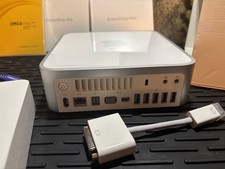
Vintage Apple Mac mini CIB (2009 Mod A1283) Original box/sealed manuals
$450.00

Apple Macintosh DuoDock Duo Dock M7779 & Powerbook 230 Vintage Mac RARE Vintage
$249.00
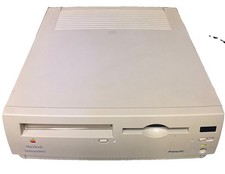
Vintage Apple Macintosh Performa 6300CD M3076 Powers On Chimes Untested As Is
$99.00

185--Sonnet Crescendo G3 PPCG3-375-5-K-06 G3 Add-On Card for Vintage Mac
$90.00

Apple Macintosh Plus 1MB M0001A Vintage Computer **TURNS ON **
$99.99

Vintage Apple iBook G3 12.1” 500MHz 2001 Restored, SSD Upgraded Mac OS 9.2/OS X
$180.00

Apple Macintosh Plus 1MB M0001A Vintage Computer - Works
$169.99

Apple Macintosh Classic M1420 Vintage All-in-One Desktop Computer
$94.00

Vintage StuffIt Deluxe Mac Software Box SEALED NEW Macintosh Aladdin Systems
$40.00