

One advantage of the combination of Knoppix and Qemu/kvm is that it is not necessary to do any setup of a virtual machine to run Knoppix, and with Knoppix copies on separate partitions bootable with grub, one may simply run gemu/kvm on the MBR of the harddisk and pick the desired install from the ordinary grub boot menu. The actual partition should be mounted read-only at most, as it gets mounted on /mnt-system in the virtual machine.
One complication with qemu/kvm is only simple networking support out of the box: I can reach the internet through the host, default network-manager works just fine for that, but direct communication with the Knoppix guest system isn't set up. Furthermore, with wireless adapters, the traditional simple bridge techique doesn't work.
There are lots of ways to overcome this, and here I want to report just one rather simple, presented in the blog post http://yalb.blogspot.no/2012/04/wire...g-for-kvm.html
It uses the tunctl, from uml-utilities, and parprouted from parprouted
In this case, my internet connection is through a mobile router (192.168.1.1) and wlan0 (192.168.1.100). The guest must be on the same subnet.
I issued the following commands
Then I started qemu/kvm to boot an ordinary Knoppix PMI through grub:Code:sudo sysctl -w /net/ipv4/ip_forward=1 sudo tunctl -t tap0 sudo ip link set tap0 up sudo ip addr add 10.10.10.10/32 dev tap0 sudo parprouted wlan0 tap0
In the guest, disable network-manager's networking and setup the virtual eth0, as root:Code:sudo qemu -machine accel=kvm -hda /dev/sda -net nic -net tap,ifname=tap0,script=no -m 1024 &
Somewhat miraculously to me, this worked!Code:ifconfig eth0 192.168.1.99 up # Static IP echo 'nameserver 192.168.1.1' > /etc/resolv.conf # Use the nameserver of the host route add default gw 192.168.1.100 # Host IP
I haven't tried yet, but this should work for at least a few VM's, creating tap1, tap2 etc and using them instead of tap0.
This way, servers can be tested out or routinely run with qemu/kvm just by copying the KNOPPIX directory (to be precise, in this case KNOPPIX705R1, remastering 1 of 7.0.5) to a partition (which may contain just about anything besides), setting up a grub menu entry for the copy and run qemu/kvm.
My practical motivation for this is to run a database server and a web server on separate virtual machines, possibly an application server too. With three extra partitions, I can easily run three VMs simulataneously this way.
I have used VMware Workstation for this earlier, but this approach seems both simpler and more flexible to me. Plus I can spare myself the frequent VMware module compilation blues. (Workstation 8.0.5 works fine with Knoppix 7.0.5, BTW - Workstation 8.0.4 does not.)
 Posting Permissions


GIGABYTE A520M DS3H AC AMD AM4 Motherboard mATX
$59.99

Intel H310 LGA1151 8-9th Gen DDR4 M.2 NVMe mATX Motherboard IO Shield Battery
$54.99

Intel H81 Motherboard M.2 NVMe LGA 1150 mATX w/ IO Shield (Random Slot Color)
$29.90

ASUS PRIME Z490-V Motherboard Intel Z490 10th gen DDR4 LGA 1200 ATX w/ IO Shield
$84.99

ASUS PRIME B360M-C MicroATX Intel LGA1151 DDR4 HDMI VGA USB RJ-45 Audio
$34.99

GIGABYTE B365 HD3 LGA1151 Intel 9th Gen motherboard
$59.99

ASRock B550M PRO4 AM4 AMD B550 SATA 6Gb/s Micro ATX AMD Motherboard
$76.49
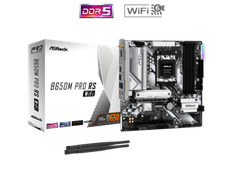
ASRock B650M Pro RS WiFi AM5 AMD B650 SATA 6Gb/s Micro ATX Motherboard
$101.99

ASUS B85M-G / B85M-G PLUS LGA1150 DDR3 Micro ATX Motherboard HDMI Support 4thCPU
$45.00

ASUS ROG STRIX X870E-E GAMING WIFI
$289.99


 Reply With Quote