-
Fixed!!! 
They're so many settings in these BIOSes nowadays... It seems that they have some type of table that has pointers/registers, or whatever they're called to let the OSs (or whatever) know what's available, & boards without things like a North-Bridge has to have the CPU's capabilities registered in these tables (like HPET, APIC ACPI SCI IRQ, & whatever else [AMI BIOS]) to have the BIOS display options for them, & allow the OS to detect it... otherwise it's disabled by default.
Sometimes boards come with backwards compatibility features for older CPUs, or Multi-CPU support, & have to disable some things which usually can be enabled in the BIOS depending on what CPU you decide to use. However... even if it's registered, some BIOSes won't turn it on just because it detected something as a feature... they will leave it to the user to enable/disable, but will add the option for the user to see.
In my case, I Powered down the computer, removed the power plug, & Monitor's DVI cable from the computer (old habbit  )... popped the on-board battery out, & held down every button (On-Board Power, Reset Switch, & BIOS Reset) on the board one by one for 30 seconds a piece (more like 60 lol). Plugged everything back in, & went into the BIOS to set the time, & date along with my standard overclocking settings, then saved, & attempted boot. Nothing... nothing at all. Same Kernel hang.
I repeated the process, but this time I noticed that in some Advanced BIOS Settings thingy, there were 3 options dealing with HPET, APIC, ACPI, SCI, & IRQ... all DISABLED by default. I say default because after I reset the BIOS by popping the battery out, I always start with setting optimized defaults, then continue from there to set time, & date +OC, etc...
I enabled them:
HPET
APIC ACPI SCI IRQ
Saved, booted, & without any code whatsoever at the knoppix Boot Prompt... It came to life before my very eyes
All CPU Cores, Sound Card, Video Cards, & also was on the desktop 10+ FULL seconds faster. 
Might not work for everyone, but it won't hurt to check it out!
(Jan 25th 2013)
 Posting Permissions
- You may not post new threads
- You may not post replies
- You may not post attachments
- You may not edit your posts
-
Forum Rules


Refurbished Working 1960's Heathkit EC-1 Educational Electronic Analog Computer
$2999.99

Vintage George A Philbrick Researches Tube Analog Computer Module Serial 005503
$109.99

1969 EAI TR-20 Analog Computer Programming PACE Philbrick Electronic Associates
$36.00

Vintage Donner Scientific Analog Computer Patch Cords Banana Plugs & Resistor
$70.00

Vintage Early Week 12 1984 Apple Macintosh 128K Computer M0001 w/Analog Board+
$209.99

Vintage Analog Computing Magazines For Atari Computer Owners No 11-20 Acceptable
$75.00

Extron RGB-160XI Analog Computer Video 60-378-01
$127.06

Vintage Goodyear Electronic GEDA Analog Computer Plug -- Extremely Rare
$179.00

NOB VINTAGE Earthlink MailStation Standard 120 - Email Appliance
$29.99
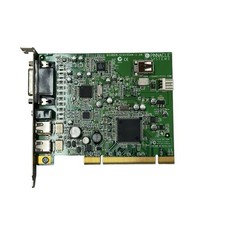
Pinnacle Systems GmbH BigBen-51015544-1.2A PCI Video Capture Card
$26.21



 Reply With Quote