-
7.0.5 desktop too big for screen: how to view menubar?
Both on my Tosh L630 laptop (with/ without external monitor) and Dell Dimension 2400 desktop the startx command provides a desktop with no visible menubar along the lowedr edge of the screen and therefore no access to utilities etc. Or to logout! IT mustr be there somewhere, but I can't travel to it.
If I start with xinit I get a primitive xterm from which some progress can be made, but it's not the answer. Any suggestions for modifying the default start command sequence?
Meanwhile, I'm sticking with 6.7, the most perfect version since 5.2. None of the 7 series has worked well (for me) up to and including the current 7.0.5, all offering various, different, un-put-up-able-with, glitches and infelicities.
Thanks,
Fergus
-
Try the Cheatcodes! For example
Code:
knoppix screen=1024x768
 Posting Permissions
- You may not post new threads
- You may not post replies
- You may not post attachments
- You may not edit your posts
-
Forum Rules


Kingston 32GB 64GB 128GB 256GB USB 3.0 Flash Drive Thumb Memory Stick Pen lot
$285.90

Microsoft Windows 11 Pro 64bit - New Sealed – Flash USB 1 PC
$49.99

1/ 10/ 100pcs USB 2.0 2GB, 4GB ,8GB ,16GB ,32GB ,64GB 128GB USB Flash Drives Lot
$269.10

Zero Trace Pen: All-in-one Tor Network Anonymous Drive + Cryptocurrency Wallet
$147.00

USB 3.0 Flash Drive 32GB 64GB 128GB Memory Stick Thumb Stick Lot Pack
$826.09

USB Type-A Flash Drive Metal Memory Stick High Speed USB Drive 128GB 256GB 512GB
$8.47

LOT 10x SanDisk 32GB ULTRA USB 3.0 flash drive SDCZ48-032G 32 GB read 100 MB/s
$39.80
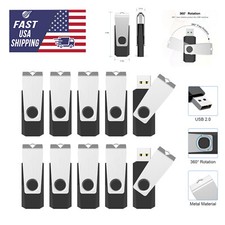
USB 2.0 Flash Drive 16GB 32GB 64GB 128GB Thumb Memory Stick Multi Pack Bulk Lot
$1082.99

128GB USB 14-in-1 MacOS bootable Installer repair recovery tech support service
$39.99
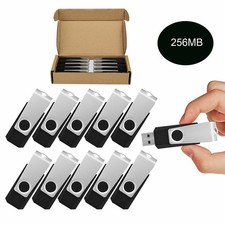
Wholesale Sale 10/ 30/ 50/100pcs 256MB Metal Swivel USB Flash Drive Memory Stick
$165.90



 Reply With Quote