-
 Change default language at boot!
Hey everybody.
I'm running Knoppix on my school from a USB key - and I'm living and studying in Denmark. So every time I boot from the USB key, I have to type knoppix lang=da - is there a way that I can make the choice to default?
So I just need to press Enter, and Knoppix does the rest. Thanks in advance!
-
Last edited by Werner P. Schulz; 02-09-2013 at 09:45 AM.
-
-
Hi, Pazau. Werner has just supplemented Micro Remastering and now it has the exact procedure for adding lang=da. Maybe it's better to let the language to be English and add keyboard=da. This way you'll be able to google what the OS says on a wider scope.
 Posting Permissions
- You may not post new threads
- You may not post replies
- You may not post attachments
- You may not edit your posts
-
Forum Rules


Refurbished Working 1960's Heathkit EC-1 Educational Electronic Analog Computer
$2999.99

Vintage George A Philbrick Researches Tube Analog Computer Module Serial 005503
$109.99

1969 EAI TR-20 Analog Computer Programming PACE Philbrick Electronic Associates
$36.00

Vintage Goodyear Electronic GEDA Analog Computer Plug -- Extremely Rare
$179.00
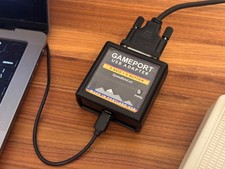
DOS Joystick Gameport to USB Converter - Adapter (NEW, 3-axis, 2-button)
$49.95

Vintage 1970’s Analogic MP2110 10-Bit A/D Converter Computer Circuit Board
$24.99

Vintage Early Week 12 1984 Apple Macintosh 128K Computer M0001 w/Analog Board+
$209.99
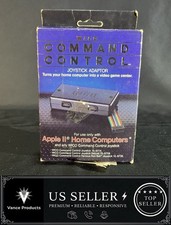
WICO Computer Command Apple II Analog Joystick Adaptor NOS 72-4525
$59.99

Rare Vintage CH Product Mach III Analog Joystick for Apple Mac
$35.00

VINTAGE Apple Unidisk Analog Card - Circa 1986 | P/N 820-0190-A
$22.67



 Reply With Quote