-
Appearant new bug
Hi, Ya all.
I am new to Knoppix, I just installed it two days ago, along with Ubuntu 12.10 in a dual boot system.
My reason for being here is two fold for the present. After spending the better part of the last two days installing and re-installing Knoppix on a partition on my SDD hard drive, I found that I have a bit of a problem that I am unable to resolve.
On my system I have three hard drives one is 500 GB, the second is a GPT formatted 3TB harddrive, and the last one is a 256GB SDD harddrive that my two operating systems are installed on.
The problem is that the GPT drive isn't being read right by both GParted, and Disk Utility in two different ways. In Disk Utility, my number one Partition is getting a Yellow flag warning that reads as follows:
"Warning: The partition is aligned by 3072 bytes. This may result in very poor performance. Repartitioning is suggested."
I have repeatedly tried to repartition this and varied the start and end of the partition from up to 100MB, both at the same time, and used "align to Cylinders" multiple times, all to no avial. The message always comes back, and is always the same number of bytes. Also the drive is completely inaccessible.
Now in GParted The number one partition appears fine but the number three partition when it is mounted will show a yellow flag that states:
"Cannot find Mount point. Unable to read files or data on this partition.", or something of that nature. Also neither GParted nor Disk Utility will mount this partition. In order to mount it I have to go to Ubuntu and mount it in either GParted or Disk Utility, and come back to Knoppix in order to show the flag on it.
Both of these partitions show good in Ubuntu and read just find. The number one drive doesn't show in the file manager at all whether mounted or not. Number 3 shows, but gives a "No access" error if you try to access it. Both were reformatted in both Knoppix and Ubuntu, and both are NTFS file systems for accessability of multiple systems.
So, has anyone done any work with GPT formatted drives and found work arounds for the errors that seem to be inherent to this combination? I tried to report this bug with the bug reporting tool in Knoppix but, was asked the package name and wasn't able to give the tool whatever information it was expecting so couldn't use it.
I am new to Knoppix as an operating system and in spite of its bugs really like it. It is the most exciting OS I have found so far, and I hope it continues to improve over time. So, has anyone who has used it for a while been able to find some work arounds for the GPT errors I am getting? I would really like to get those partitions working. Also I need to say that the errors both show the same whether I am using the live disk or the harddrive mounted versions.
My system consists of an ASUS Rampage III with an i7 970 6 core processor, and two ASUS 560 Graphics cards, and 24GB of RAM.
Any help would be greatly appreciated. Thanks
 Posting Permissions
- You may not post new threads
- You may not post replies
- You may not post attachments
- You may not edit your posts
-
Forum Rules


Samsung 2.5" 870 EVO SSD SATA III 250GB 500GB 1TB Internet Solid State Drive Lot
$100.00

Samsung 860 EVO 250GB SSD MZ-76E250 2.5" SATA III Solid State Drive -
$36.99

Western Digital Blue 3D NAND 500GB Internal 2.5" SSD - WDS500G2B0A
$49.99

Samsung 860 EVO 250GB, SATA III, 2.5" Internal Solid State Drive - Black...
$30.00

Netac 2TB 1TB 512GB 256GB Internal SSD 2.5inch SATAIII Solid State Drive lot
$549.00
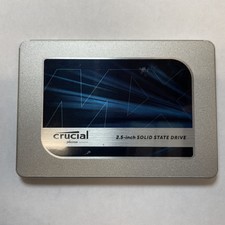
Crucial MX500 1TB 2.5" SATA III Internal SSD CT1000MX500SSD1
$99.99

Fanxiang 1/2/5/10Pcs 2.5'' SATA SSD Lot 1TB 2TB 4TB 512GB 256GB TLC Internal SSD
$129.99

2 PACK 128 GB SSD M.2 2280 SATA Solid State Drive Major Brands, Samsung, LiteON
$28.00

Netac 120GB 256GB 1TB 2TB Internal SSD 2.5'' SATAIII 6Gb/s Solid State Drive lot
$119.99

Intel Solid-State Drive DC S3500 Series 240GB Internal 2.5" (SSDSC2BB240G4P) SSD
$29.99



 Reply With Quote